SaaS design
SaaS design covers every screen in a software-as-a-service product: the landing page that converts visitors to trials, the pricing page that converts trials to paid customers, the onboarding that gets new users to their first value, the dashboard they use every day, and the upgrade path that grows revenue over time. BrowserMoon has templates for all of them, designed to paste directly into Bolt, Lovable, Replit, or Claude Code.
Why SaaS UI design is different from web design
A marketing website has one job: convert a visitor into a lead. SaaS design has to work for that same visitor on day one, and for the same person on day 400 when they know every shortcut and resent anything that slows them down. A SaaS product that works well when the user is new but becomes awkward after six months loses the user at renewal. Design decisions made on day one compound across the product lifetime.
The biggest failure in AI-generated SaaS products is that every section looks like it was built to impress a first time visitor. Big hero text, large testimonial cards, and marketing grade section spacing fill the dashboard screen the same way they fill the landing page. A user working in that dashboard every day finds it exhausting. Data dense SaaS UI uses tighter spacing, smaller type, and more information per screen than a marketing site.
The second failure is that landing pages and product screens use the same generic AI-generated aesthetic. A product that looks generic on the outside looks like it will be generic on the inside. Landing pages set the visual expectation. If the landing page looks built by a design team, the product has to follow. BrowserMoon templates give the AI a consistent visual language to carry through every surface.
SaaS design by page
SaaS landing page design
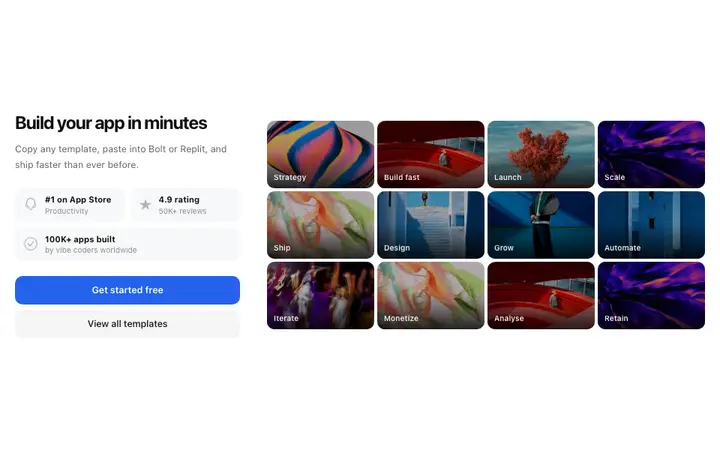
The first page new visitors see. Design best practices and templates for SaaS landing pages that convert paid traffic to trials and signups.
SaaS hero section design
The hero section is the product's first impression. Templates for AI and SaaS heroes with social proof, product-in-hero, and interactive input designs.
SaaS pricing page design
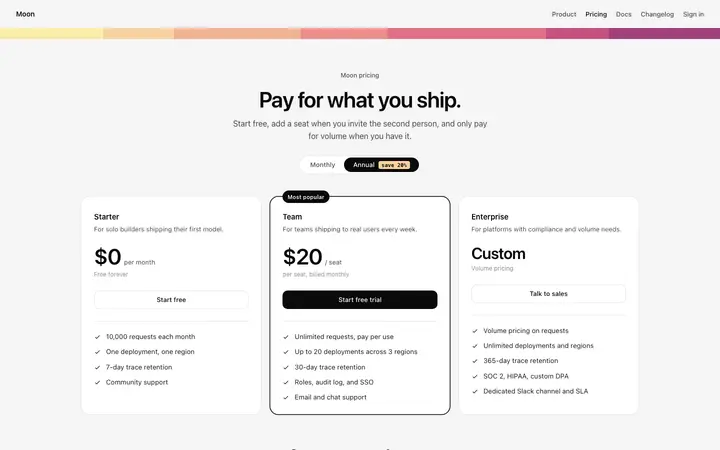
The pricing page converts trials to paid customers. Best practices for three tier pricing layouts, feature comparison tables, and upgrade modals.
SaaS dashboard design
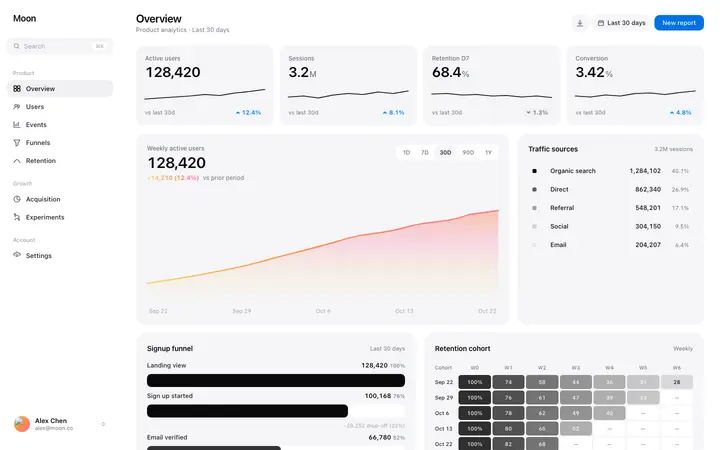
The product screen users see every day. Templates for analytics dashboards, stats sections, and data dense SaaS app UI.
SaaS onboarding design
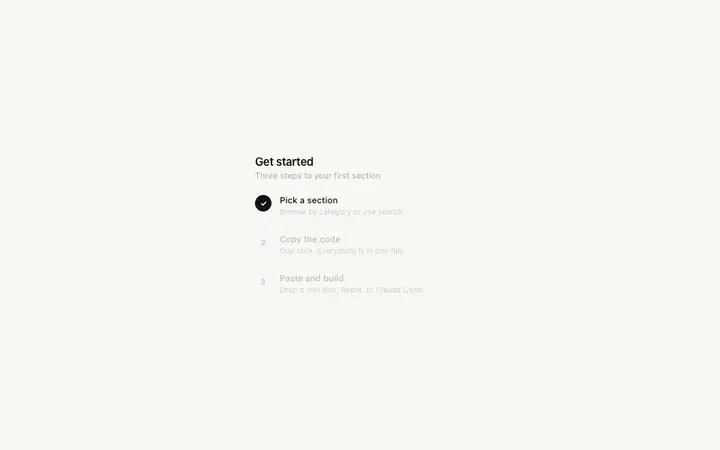
The first run experience that gets users to their first value. Step-by-step onboarding, progress indicators, and empty state templates.
SaaS conversion design
Design patterns that move users from free to paid: upgrade modals, feature gates, and contextual CTA placement.
SaaS design templates
Self contained HTML templates for every part of a SaaS product. Copy and paste directly into Bolt, Lovable, Replit, or Claude Code.
SaaS design with vibe coding tools
The challenge with building a SaaS product in Bolt, Lovable, Replit, or Claude Code is that AI tools default to a generic visual language when given a text description alone. Every prompt generated SaaS product shares the same card shapes, the same section padding, and the same heading sizes because the AI is drawing from the same statistical center of all SaaS products it has seen.
Pasting a BrowserMoon template into the prompt before describing your product shifts the AI's reference from the statistical average to a specific, considered design. The AI reads the template as the visual language for the product and builds around it. The result looks like a specific design decision was made, not like a generic AI generation.
Frequently asked questions
What is SaaS design?
SaaS design is the visual and interaction design of software-as-a-service products. It covers every screen a user touches: the landing page, the pricing page, the onboarding flow, the product dashboard, and the upgrade path. Compared with marketing websites, SaaS design is functional and persistent. Users work inside the product every day, so the design must make frequent tasks fast, data legible, and the upgrade decision obvious when it arrives.
What makes good SaaS UI design?
Good SaaS UI design makes the product's core action easy to find, the user's data easy to read, and the next step easy to take. The visual hierarchy should surface what matters at a glance, not require the user to read every element. Key properties of effective SaaS UI: clear navigation with one active state, data dense tables with readable font sizes, empty states that guide new users to their first value, and settings that don't bury the upgrade CTA.
What pages does a SaaS product need?
A complete SaaS product needs a marketing landing page, a pricing page, an onboarding flow, a product dashboard, and an upgrade or billing page. Early stage SaaS products often build the dashboard first and leave the landing page as an afterthought. The landing page converts paid traffic to trials; building it well from the start reduces CAC. The pricing page converts trials to paid customers; its design directly affects revenue.
How do I design a SaaS landing page with Bolt or Lovable?
Copy a BrowserMoon SaaS landing page template and paste it into your Bolt or Lovable prompt alongside your product description. Tell the AI your product name, what it does, and who it is for. The AI applies your product's copy to the template layout and keeps the visual hierarchy intact. The result is a landing page that looks built by a design team, not generated by an AI tool left to its own defaults.
What is the difference between SaaS design and web design?
Web design typically refers to marketing websites: landing pages, company sites, and content pages. SaaS design includes the product itself. SaaS designers work on the entire user journey from landing page to active daily use, including app screens the public never sees. SaaS design requires more attention to data display, state management, and task completion than a typical marketing site.
What SaaS design templates does BrowserMoon have?
BrowserMoon has SaaS templates for every part of the product: landing pages, hero sections with social proof, tiered pricing pages, feature comparison tables, analytics dashboards, onboarding flows, stats sections, and upgrade modals. Every template is self contained HTML you paste directly into Bolt, Lovable, Replit, or Claude Code.
Not sure where to start with your SaaS design?
Anyone can make their vibe coded site or app look top designed with Mon, the AI designer of Moon.
Related