SaaS activation: design patterns that convert signups into active users
Most SaaS products lose the majority of their signups before those users ever experience the core product. SaaS activation is the design and product problem that determines whether a signup becomes a retained user or a churn statistic. Here is what the design needs to get right.
In short
Activation is the moment a new signup becomes a real user. The design patterns that drive this include progress checklists, empty states with clear next steps, contextual tooltips, and celebration moments when users complete key actions. BrowserMoon activation templates give you these patterns ready to paste into Lovable, Bolt, or any AI coding tool so more of your signups actually stick.
Key SaaS activation design patterns
Define one activation event
Before redesigning any UI, identify the single action that separates retained users from churned ones. Everything in the post signup experience should point toward that event.
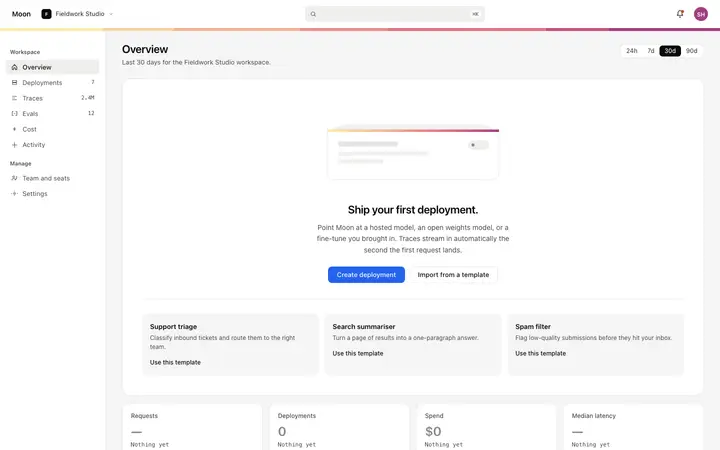
Design the empty state as an activation surface
An empty dashboard that shows a blank screen or a generic placeholder is one of the biggest drop off moments in any SaaS product. Replace it with a visual, an explanation, and a direct action.
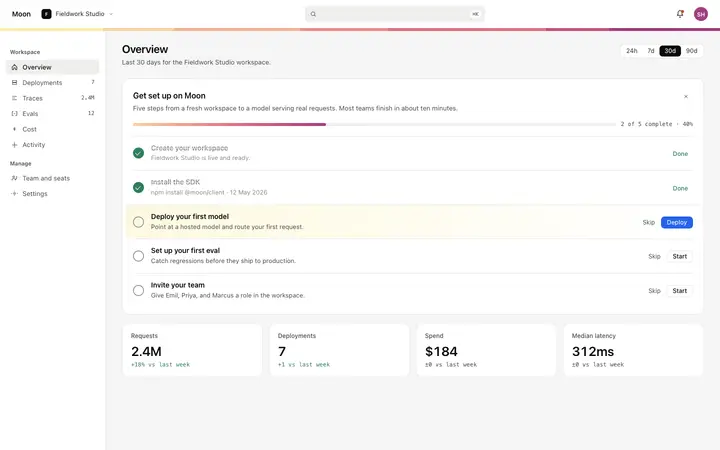
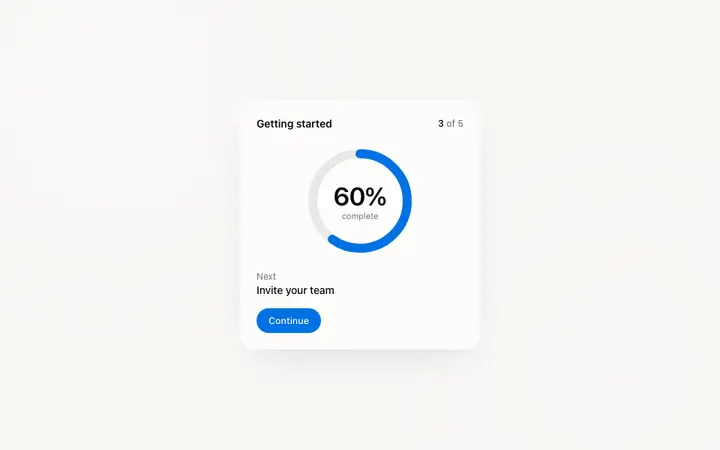
Use a persistent activation checklist
An in-product checklist that shows setup progress keeps the activation event visible even when users navigate away from onboarding. It also creates a satisfying sense of progress.
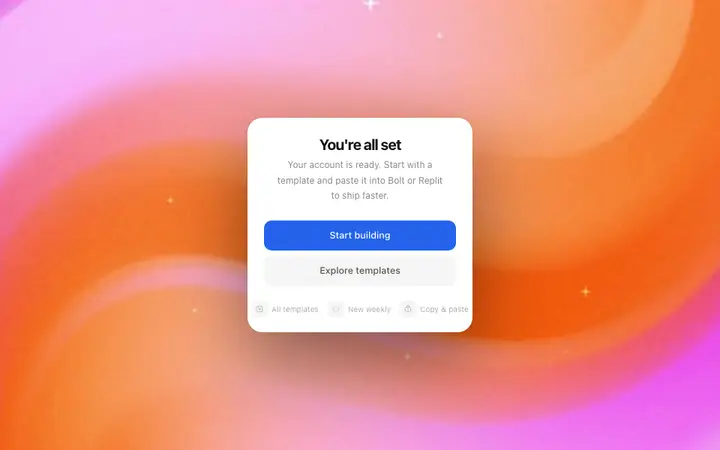
Celebrate the activation milestone
A well designed success screen after the first activation event reduces immediate churn. It confirms what the user achieved, shows what comes next, and reinforces that the product delivered on its promise.
SaaS activation templates
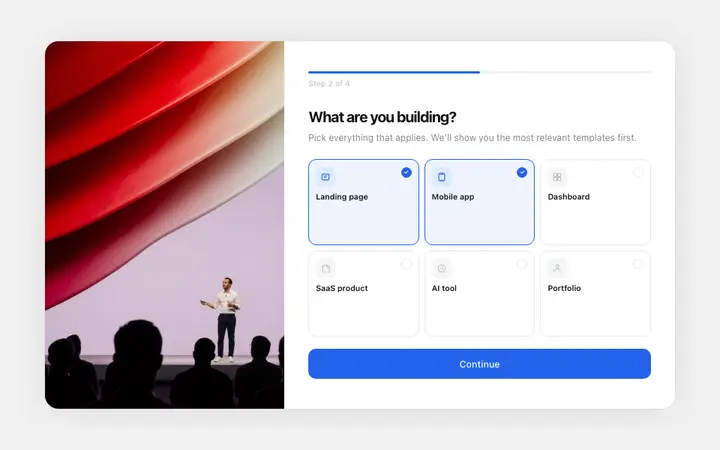
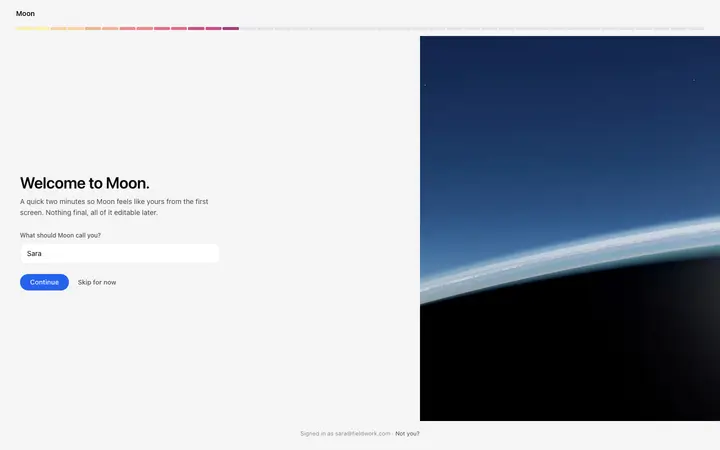
Activation checklist, empty state, getting started guide, and success screen templates. Copy any into your vibe coding tool and implement immediately.
Frequently asked questions
What is SaaS activation?
SaaS activation is the moment a new user experiences the core value of the product for the first time. It is the milestone between signing up and becoming an active, retained user. Products that define a clear activation event and design toward it convert significantly more free signups into paying customers.
What is a good SaaS activation rate?
A strong SaaS activation rate varies by product type and acquisition channel, but most top quartile SaaS products activate between 40 and 60 percent of new signups within the first week. If your activation rate is below 20 percent, onboarding design and the time to first value are the biggest areas to improve.
How do you measure SaaS user activation?
SaaS user activation is measured by defining an activation event, the specific action that correlates most strongly with long term retention, and tracking what percentage of new users complete it within a set time window (typically 7 or 14 days). Common activation events include creating a first project, connecting a data source, inviting a teammate, or generating a first output.
What is an activation checklist in SaaS?
A SaaS activation checklist is a UI pattern that shows new users a short list of setup actions to complete, with progress tracked visually. It turns onboarding into a game and gives users a clear sense of progress and completion. Products that implement activation checklists typically see 20 to 40 percent improvement in setup completion rates.
How should you design an empty state for SaaS activation?
A SaaS empty state should guide the user toward their first meaningful action and not simply displaying a blank screen. The best empty states include a visual, a clear explanation of what will appear here, and a primary action button that leads the user directly to the activation event.
What is a getting started guide in SaaS?
A SaaS getting started guide is a persistent UI component, usually in the sidebar or dashboard, that surfaces the key setup actions a new user should take. Compared with a linear onboarding flow, it lets users complete setup steps in their own order and tracks progress across sessions. It keeps activation visible without blocking the core product.
How does design affect SaaS activation rate?
Design has a direct impact on SaaS activation rate. Clear visual hierarchy, a well designed welcome screen, a well designed empty state, and an activation checklist can all lift activation rates without changing the product itself. Users who see an confusing or unfinished UI are less likely to complete setup, even if the product is excellent.