ChatGPT Codex is OpenAI's AI coding agent, built into ChatGPT. It works differently from other vibe coding tools. You describe a task, Codex runs it in a sandboxed environment with a terminal, a filesystem, and dependency management, then returns the finished code. There is no live preview during the build. You see the result after Codex finishes, not while it generates.
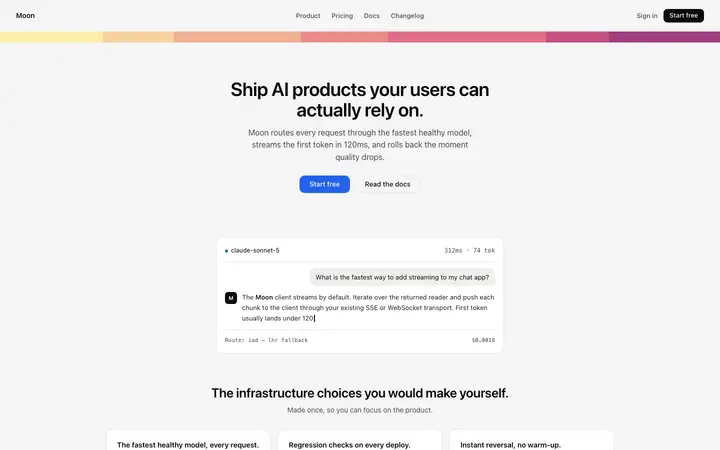
That changes how design works. In Bolt or Lovable, you can see the output and correct it mid-build. In ChatGPT Codex, the design reference you provide in the prompt is the only design input Codex gets for the entire session. A BrowserMoon vibe coding template gives Codex a concrete design to work from, so the first version comes back looking like a professional app or website rather than a default scaffold you need to rebuild.
How to structure a ChatGPT Codex prompt with a Moon vibe coding template
Codex works best when the design instruction and the functionality instruction are clearly separated. Paste the BrowserMoon template at the end of your prompt and reference it by name in the body:
Build a landing page for a B2B analytics SaaS for operations teams.
Design: use the hero template pasted below as the top of the page. Keep every design value exactly as provided: the typography, the gradient, the spacing, the button style. Replace the headline with "See every metric, all in one place." Replace the subheading with "Real-time dashboards for operations teams. Connect your data in two minutes."
Functionality: add a features grid below the hero with three columns, each with an icon, a heading, and one sentence. Add a pricing table with three tiers below the features. Make the page responsive for mobile, iPhone, and desktop.
[paste Moon template here]
Codex treats the template as a fixed design reference and builds every other element on the page in the same visual style.
Checking the design after a ChatGPT Codex session
Because Codex has no live preview, the first thing to do after a session finishes is verify the design. Open the generated HTML file in a browser and compare it against the original BrowserMoon template. Check three things: the fonts match, the spacing is proportional, and the colours are correct.
If anything has drifted, start a new Codex session with a targeted correction: "The hero headline font size should be 48px, not 36px. Restore it to match the original template." Codex makes the specific fix without rewriting the rest of the page.
Multi-session projects with ChatGPT Codex and Moon templates
For a project that spans more than one session, ask Codex to save the BrowserMoon template to a reference file on the first run: "Save the hero template to reference/hero.html and build the homepage from it."
In later sessions, point Codex to the saved file: "Read reference/hero.html and use the same design for the new pricing page." This keeps the vibe coding design consistent across sessions without pasting the template again.
Converting Moon templates to React and Tailwind in ChatGPT Codex
Include "convert all styles to Tailwind classes and wrap in a React component" in your prompt. Codex handles the conversion and flags any CSS values that need a custom Tailwind config entry. This is the fastest way to get a BrowserMoon vibe coding template into a React and Next.js project using ChatGPT Codex.