Boarding pass wallet card app template
A boarding pass card for iOS and Android, styled the way a pass looks in Apple Wallet or Google Wallet. It carries the airline and flight, both airports, departure time, gate, seat, boarding group, passenger name, and the barcode. Use it for airline apps, travel products, and anything issuing a pass a traveller scans. Generate real passes with PassKit via Bolt, Lovable, or Replit.
About this app template
A boarding pass is read under pressure, in a queue, one handed, often on a dim screen. This card is ordered for that: the flight and route first, then the three things asked for at the gate, which are the gate itself, the seat, and the boarding group. The barcode sits where a thumb will not cover it. The passenger name goes last because it is confirmation, not information. Paste it into Bolt, Lovable, or Replit and ask your AI to generate a real Wallet pass with PassKit, using this as the visual reference.
Build a full mobile app with wallet passes with this template design
A pass carries the brand outside the app entirely, so its type, spacing, and colour can set the standard for every screen inside it. Copy the template, paste it into Claude Code, Replit, Lovable, ChatGPT Codex, Bolt, or Cursor, and send this alongside it.
Paste into Claude Code, Replit, Lovable, Bolt, or Cursor
Common questions about this template
Can I turn this into a real Wallet pass?
Yes. Apple Wallet passes are built with PassKit and a signed pass bundle. Use this as the visual reference, then ask your AI in Bolt, Lovable, or Replit to generate the pass files and sign them with your certificate.
What should a boarding pass show first?
The flight and the route, then gate, seat and boarding group. Those three are what someone is asked for, and burying any of them means the traveller opens the pass twice.
Where should the barcode sit?
Low on the card, where a thumb holding the phone will not cover it. It is the part a scanner needs and the part users most often obscure.
Does this work as an in app screen?
Yes. Many airlines show the pass in app as well as in Wallet, and this layout works for both without change.
Use this template for
- ·Airline boarding passes
- ·Travel app pass screens
- ·Any scannable pass with a gate and seat
- ·Wallet style cards inside an app
More wallet app templates
View all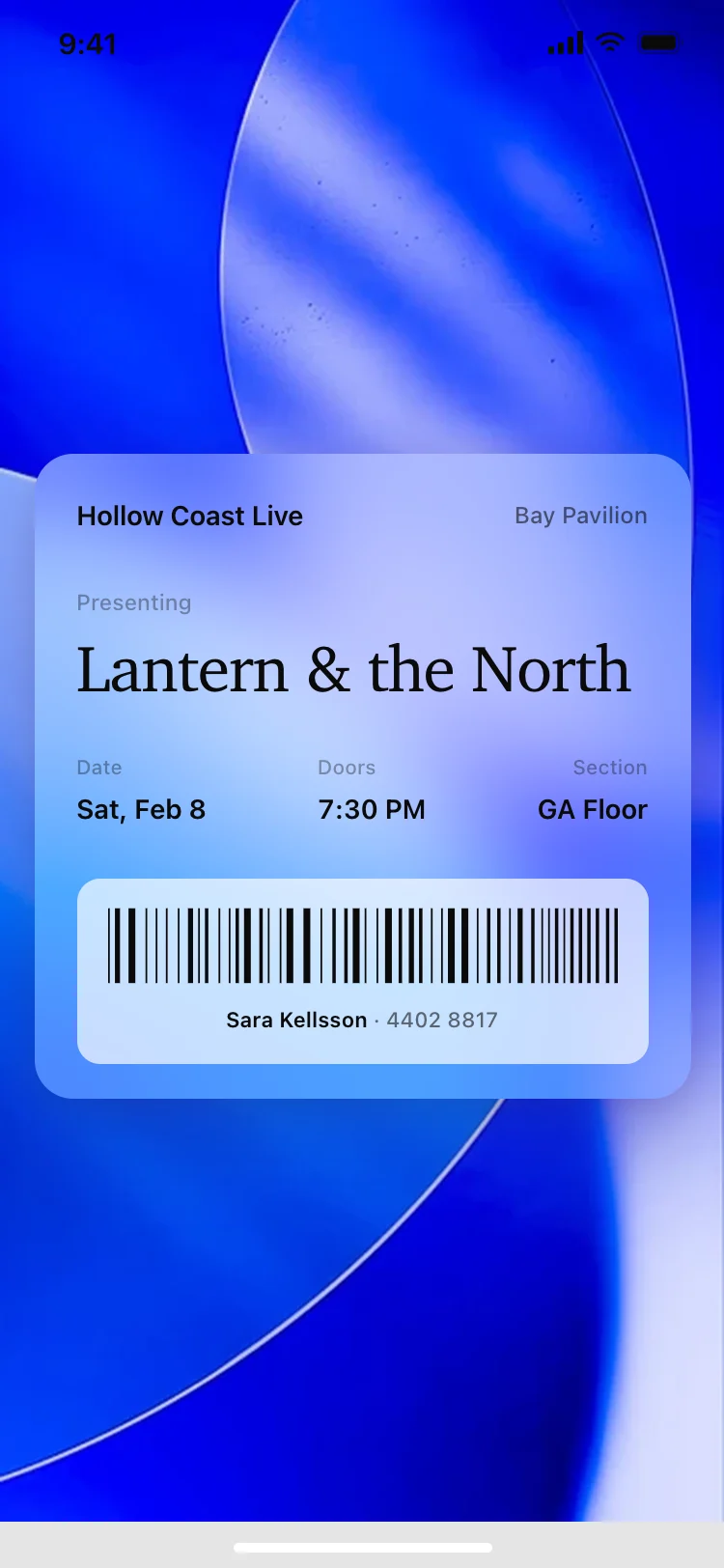
Other app templates you might like

See also
Browse app templates