Activation checklist template for SaaS apps
Interactive activation checklist template for SaaS apps. Minimal design. Use this AI template with Claude Code, Replit, Lovable, ChatGPT Codex, Bolt, Cursor, or another coding tool.
About this vibe coding template
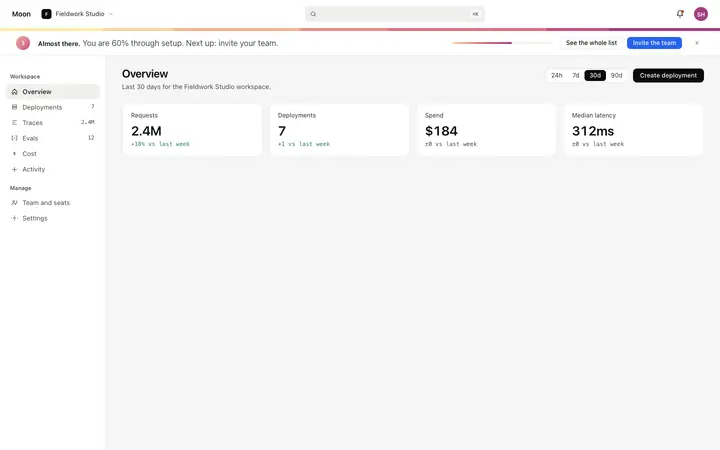
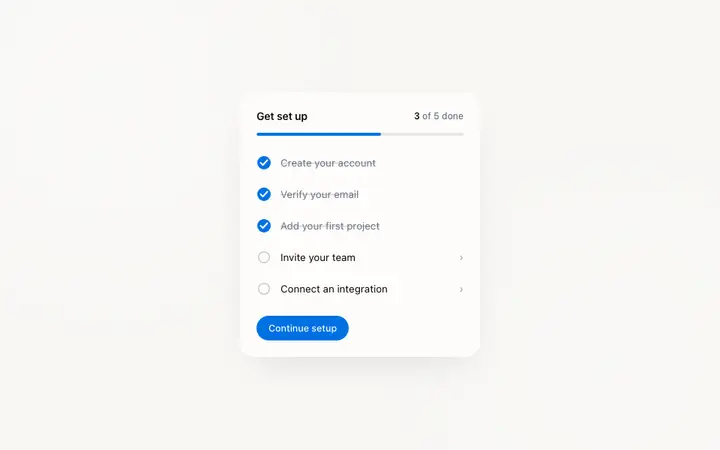
Interactive activation checklist template for SaaS apps and developer tools. A setup completion panel that drives user activation from the first login. The panel sits on the dashboard overview above the KPI tiles so the team can track setup progress without navigating away from the home screen. A progress bar at the top fills as items are completed, with a label showing the completed count and percentage. The checklist has five items: two already done on first render, one that is the active suggested step, and two pending. Completed items show a filled green dot and a strikethrough label so the team can see what is behind them. Minimal design. Swap the copy and the images for your own and the page is ready to ship.
Build a full SaaS onboarding flow with this template design
A SaaS onboarding flow is a sequence of welcome, setup, and activation screens that only works when each step looks like the last, so one onboarding template can set the standard for every screen after it. Copy the template, paste it into Claude Code, Replit, Lovable, ChatGPT Codex, Bolt, or Cursor, and send this alongside it.
Paste into Claude Code, Replit, Lovable, Bolt, or Cursor
Common questions about this template
What does this activation checklist template include?
A panel with a progress bar and completion count label, five checklist items in completed, current, and pending states, a filled green dot and strikethrough label for completed items, skip and primary CTA buttons on the current item, and a dismiss control in the panel header.
How is this activation checklist different from the onboarding checklist templates in the library?
The existing onboarding checklist templates are components for guiding users through product features. This activation checklist is the setup completion panel that drives a team's workspace from zero to activated: it tracks whether the workspace has been configured, not whether a user has been shown product features. Different goal, different copy.
How does the progress mechanic work in this template?
The progress bar fills proportionally to how many checklist items the team has completed. A text label shows the count and percentage. When an item is completed, its dot fills green and its label gets a strikethrough. This gamification loop of visible setup progress keeps teams moving through the sequence and reduces drop off after the first completed step.
Which template does this activation checklist sit on?
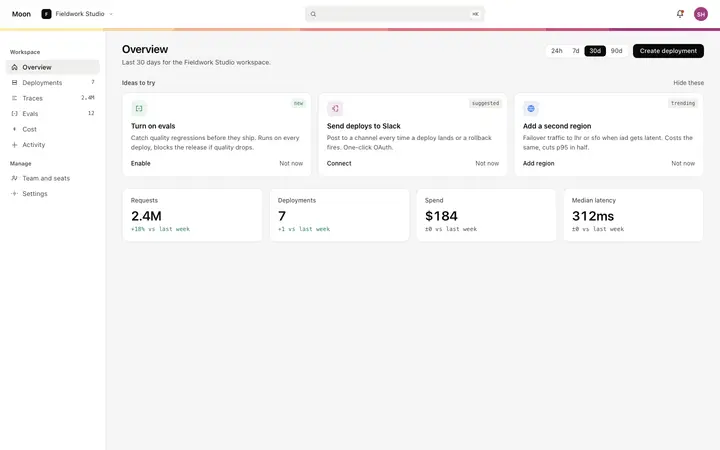
The activation checklist panel is designed to sit on the dashboard overview template, above the KPI tiles, for workspaces that have not yet completed their setup. It is removed once the team dismisses it or all items are marked done.
Which tools work with this activation checklist template?
Claude Code, Replit, Lovable, ChatGPT Codex, Bolt, and Cursor. Paste it in and replace the five checklist items, the CTA destinations, and the completion trigger logic with your own setup sequence.
How do I build a full SaaS onboarding flow with this template?
Use this template as the first page of the SaaS onboarding flow, then ask your AI coding tool for the rest. Claude Code, Replit, Lovable, Bolt, and Cursor can all read the design and repeat it across the rest of your pages.
Use this AI coding template for
- ·Activation checklist template for a SaaS dashboard or developer tool
- ·Setup completion panel with progress bar and step CTAs for SaaS onboarding
- ·User activation checklist with gamification and dismiss for new SaaS workspaces
- ·Vibe coding activation checklist template
Works with every vibe coding tool
More from the Product onboarding set
5 templates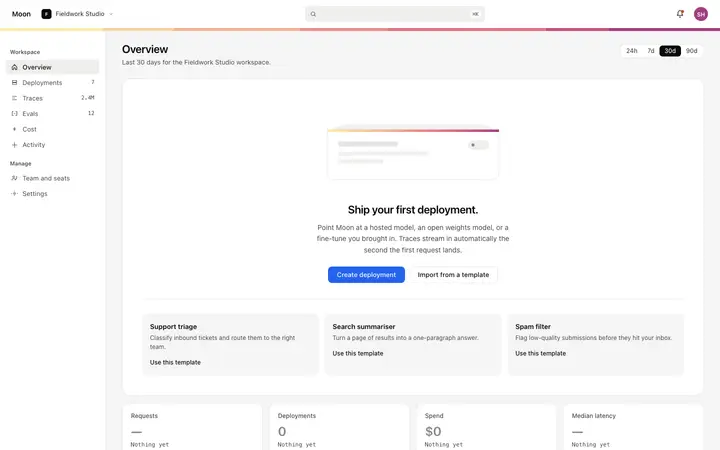
More onboarding templates
View all
More vibe coding SaaS templates
View all




Other templates you might like