File upload preview template for SaaS apps
File upload preview template for SaaS products showing someone what they just handed over. Seeing the file before it is sent is what catches the wrong one, and catching it there saves a support message later. Use this AI template with Claude Code, Replit, Lovable, ChatGPT Codex, Bolt, Cursor, or another coding tool.
About this vibe coding template
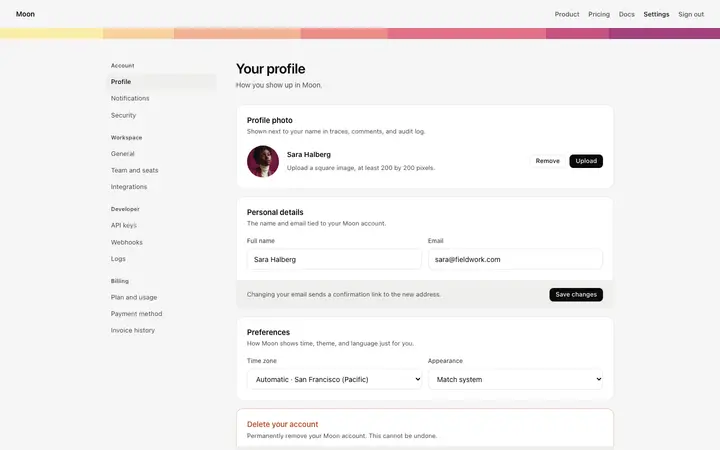
File upload preview template for SaaS apps that take files from people. Uploading blind is where mistakes happen: someone picks the wrong photo, an old version, a file with the name they meant to change, and none of it surfaces until it matters. Showing what was chosen before it goes anywhere lets the person catch it themselves, which is cheaper for them and for you. Anything taking images, documents, or attachments needs this, and it is the half most builds skip. Editorial design with glassmorphism and photography.
Build a full SaaS landing page or website with this template design
A SaaS landing page or website is multiple pages that need to feel like one professional site, so one well built coding template can set the standard for every page after it. Copy the template, paste it into Claude Code, Replit, Lovable, ChatGPT Codex, Bolt, or Cursor, and send this alongside it.
Paste into Claude Code, Replit, Lovable, Bolt, or Cursor
Common questions about this template
What is a file upload preview?
A view of what someone has chosen before it is sent, so they can see it is the right file and swap it if it is not.
Why preview an image before upload?
Because the person is the only one who knows which photo they meant. Showing it back lets them catch the wrong one while it still costs nothing to swap.
What file types should a preview handle?
In a SaaS product, images show themselves. Documents and everything else need a name, a type, and a size, which is enough for someone to recognize what they picked.
Which tools work with this upload preview?
Claude Code, Replit, Lovable, ChatGPT Codex, Bolt, and Cursor. Paste it in and describe what your product accepts.
Use this AI coding template for
- ·Image preview before upload in a profile or listing form
- ·Attachment preview in a SaaS support or messaging product
- ·Document preview in an application or verification flow
- ·Upload preview for vibe coding in Claude Code, Lovable, or Bolt
Works with every vibe coding tool
More cards templates
View all
More vibe coding forms templates
View all
Other templates you might like