AI image generator dashboard template for SaaS
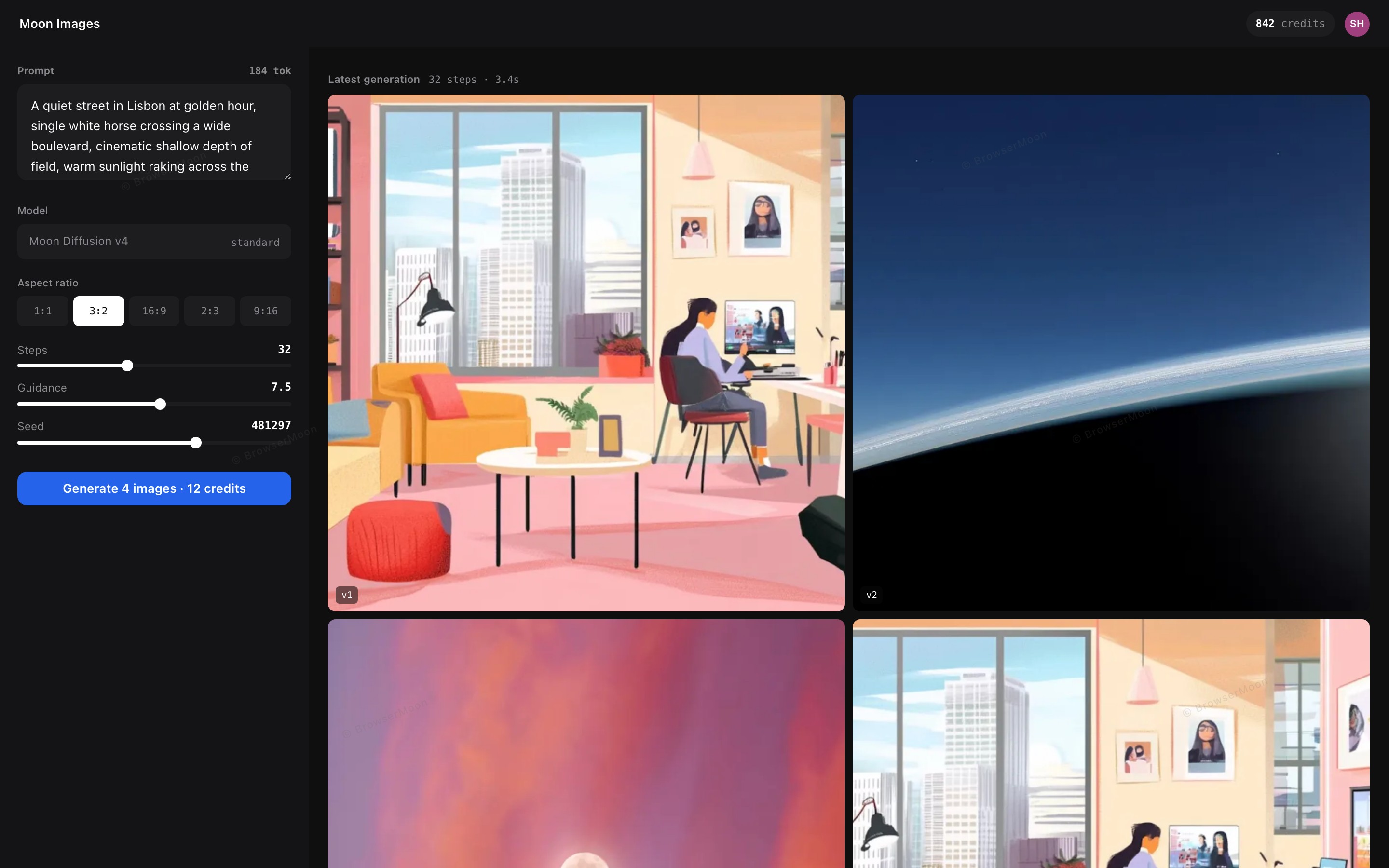
Interactive AI image generator UI for vibe coding. This is the interface for building an AI image generation product: a SaaS dashboard with a prompt input, generation controls, an image output area, and a history sidebar. Use this AI image generator UI with Claude Code, Replit, Lovable, ChatGPT Codex, Bolt, Cursor, or another coding tool.
More from the AI tool interface set 15 matching templates
All 15 templates ›

What is included in this SaaS template
Interactive AI image generator UI for vibe coding and SaaS builders. This is the interface for building an AI image generation product, not the generation tool itself. Paste it in and describe the generation controls, the output layout, and the history behaviour your product needs. Editorial design with glassmorphism and photography. Swap the copy and the images for your own and the page is ready to ship.
Build a full SaaS app or admin dashboard with Lovable, Cursor, or Claude Code
A SaaS app or admin dashboard spans dozens of analytics and workflow screens sharing one shell, so one dashboard template anchors the navigation, cards, and UI components on every screen that follows. Copy this template, paste it into Lovable, Bolt, Cursor, Claude Code, Replit, ChatGPT Codex, Google Antigravity, or any AI coding tool, and send this prompt with it.
Paste into Lovable, Bolt, Cursor, Claude Code, Codex, Antigravity, or any AI coding tool
DESIGN.md file for Claude Code, Cursor, and Lovable
The colors, typography, and UI components of this template as a DESIGN.md file, the open format AI coding tools read. Drop it in your project root and point Claude Code, Cursor, Lovable, Bolt, Codex, Antigravity, or any AI coding tool to it, or import it into Google Stitch.
DESIGN.md--- version: alpha name: "AI image generator dashboard" colors: primary: "#004FFF" on-primary: "#FFFFFF" neutral: "#F5F5F5" on-surface: "#0A0A0A" on-surface-muted: "#8A8A8F" surface: "#FFFFFF" secondary: "#A03F7E"
Not sure this template fits?Ask Mon, your free AI designer.
Ask Mon, our free AI designer, how to adapt AI image generator dashboard template for SaaS for higher signups, free trials, and sales.
3D launch videos, mockups, and conversion guides
Questions about this SaaS template
What is an AI image generator UI?
The interface for building an AI image generation product. This template covers the dashboard: a prompt input, generation controls, an output area for the results, and a history sidebar. It is a starting point for building the product, not a finished image generator.
What vibe coding tools work with this AI image generator UI?
It works with Claude Code, Replit, Lovable, ChatGPT Codex, Bolt, and Cursor. Paste it in and describe the generation controls, the style settings, and the output layout your product needs.
What SaaS products use an AI image generator UI?
Image generation tools, creative AI products, design generation SaaS, and any product where users write a prompt and receive visual output. The dashboard layout covers the prompt, controls, output, and history patterns.
Is this template interactive?
Yes. The template includes hover states on the generation controls and output cards, so you can see the interaction design as well as the static layout.
Can I use this template commercially for client projects or SaaS products?
Yes. A one-time BrowserMoon license ($349) unlocks all 730+ website and mobile app UI templates for unlimited personal, commercial, and client projects, including their animations, visuals, and gradients. It is lifetime access with no subscription, no attribution required, and no per-project fee. You cannot resell or redistribute the templates as a template pack. See the template license.


