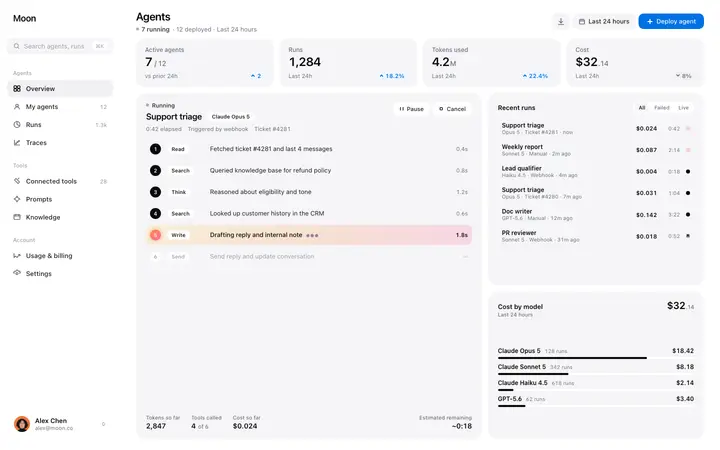
AI agent monitoring SaaS dashboard template
Dashboard · Stats
Build this design with AI →Real dashboard and app designs for AI products, from agent consoles to prompt playgrounds, with what makes each one work. Build any of them in Lovable, Claude Code or Cursor.
Dashboard · Stats
Build this design with AI →Dashboard
Build this design with AI →Dashboard · Stats
Build this design with AI →Dashboard
Build this design with AI →Dashboard
Build this design with AI →Dashboard
Build this design with AI →Dashboard
Build this design with AI →Dashboard · Chat
Build this design with AI →Dashboard · Chat
Build this design with AI →Dashboard · Chat
Build this design with AI →Dashboard
Build this design with AI →Dashboard
Build this design with AI →Dashboard
Build this design with AI →Dashboard
Build this design with AI →AEO · Dashboard
Build this design with AI →Dashboard
Build this design with AI →Every ai dashboard design above is a ready template. Browse and preview for free; copy the code with a BrowserMoon licence.
Get a licenceAsk Mon, the AI design assistant, to review your ai dashboard design and tell you what to fix first.
Design guides: AI dashboard design examples · AI landing page design examples
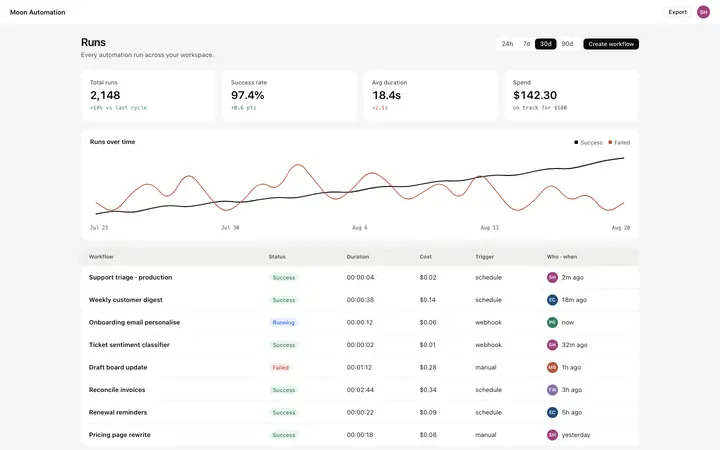
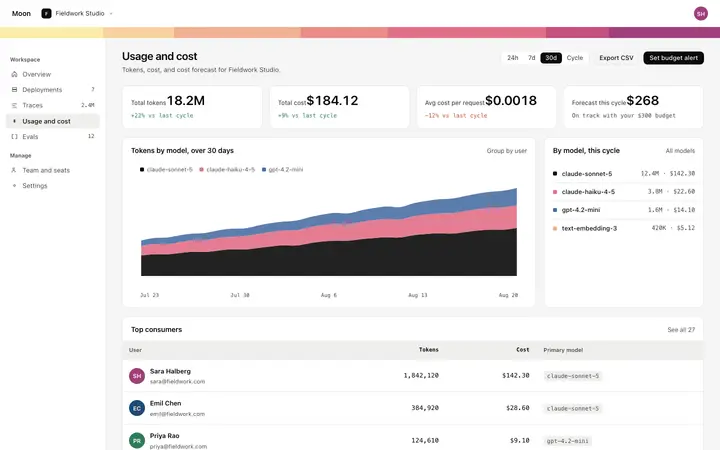
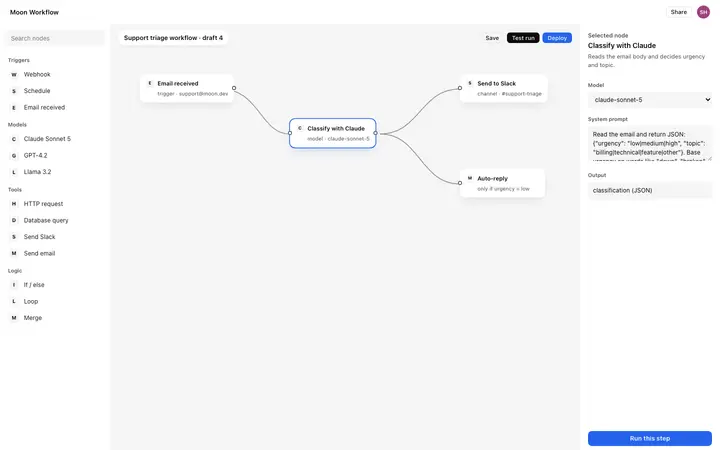
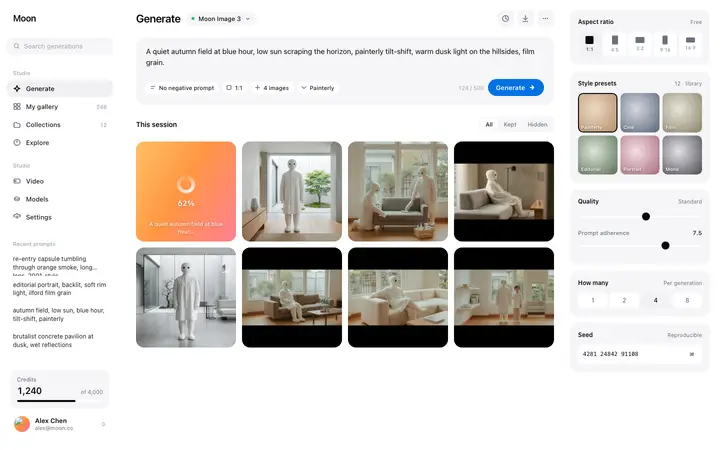
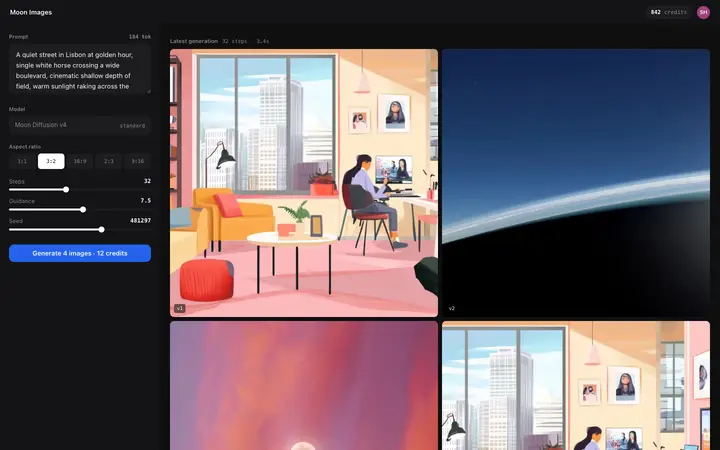
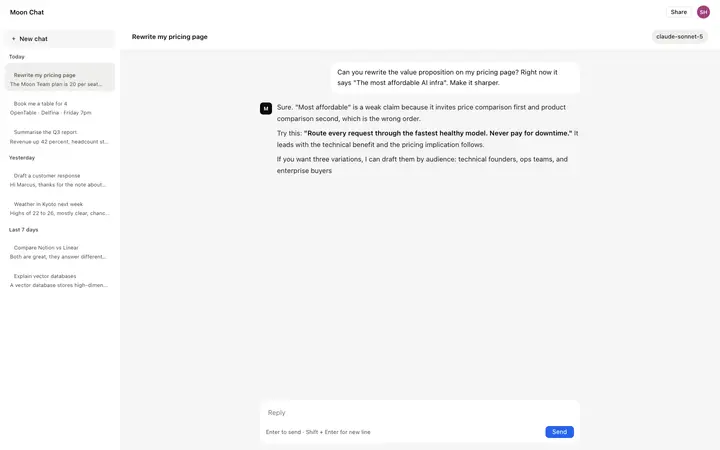
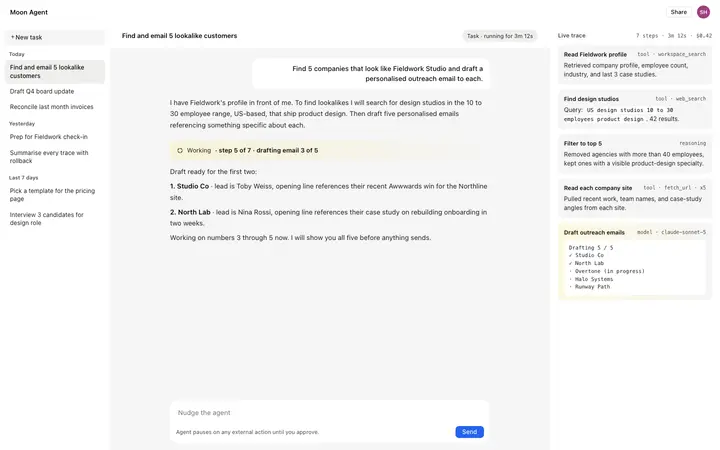
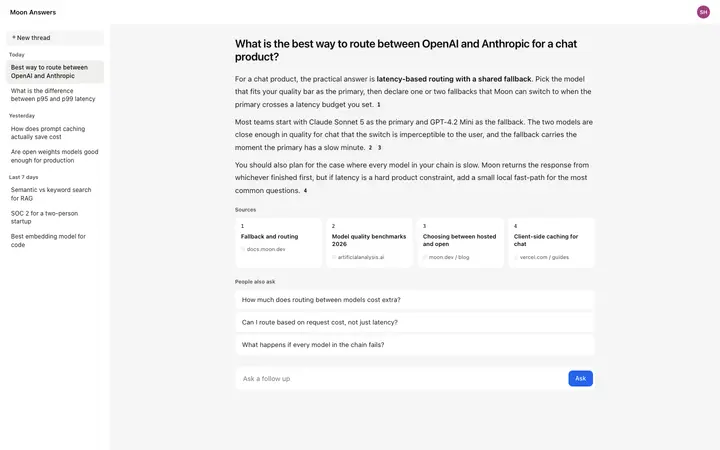
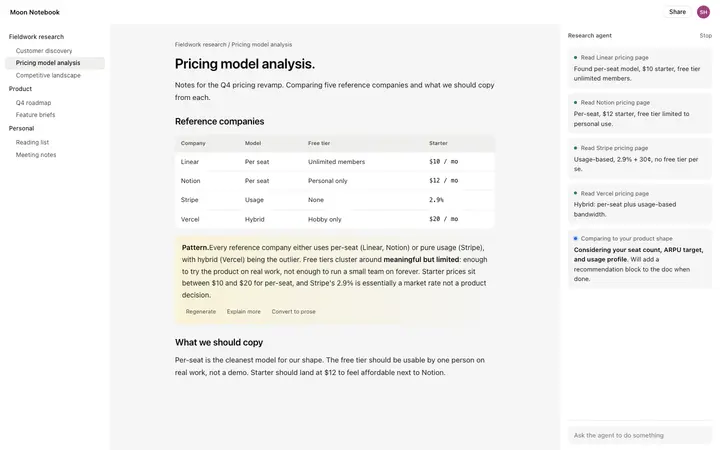
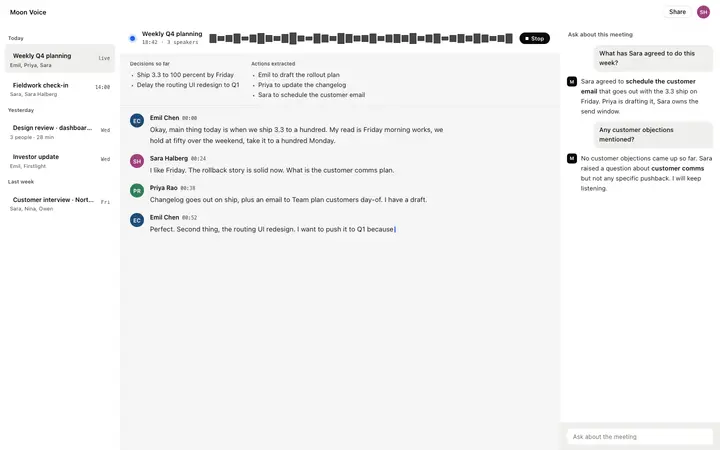
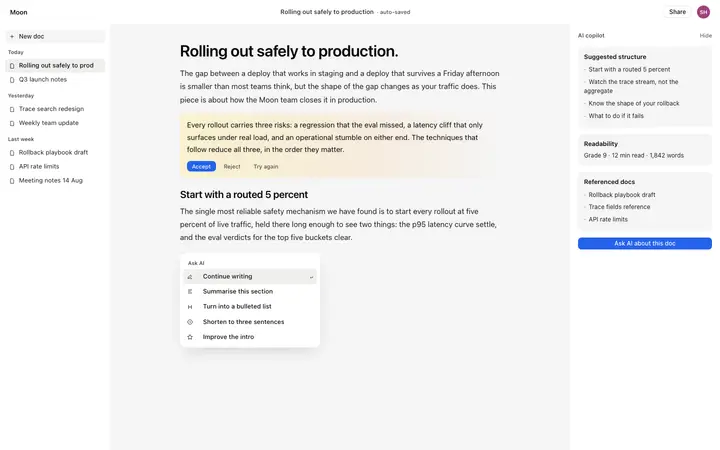
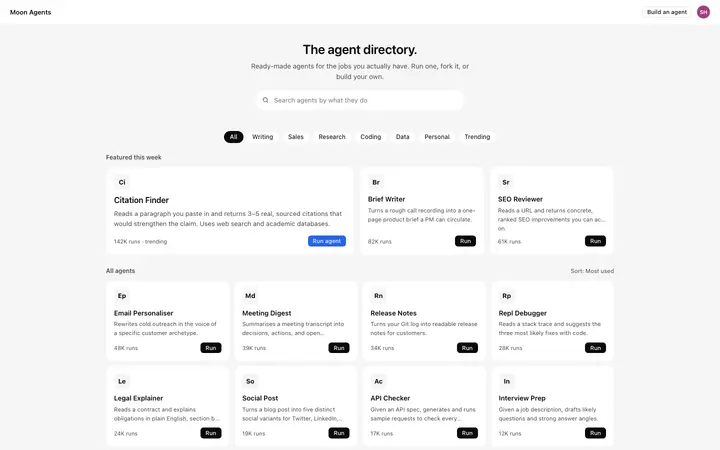
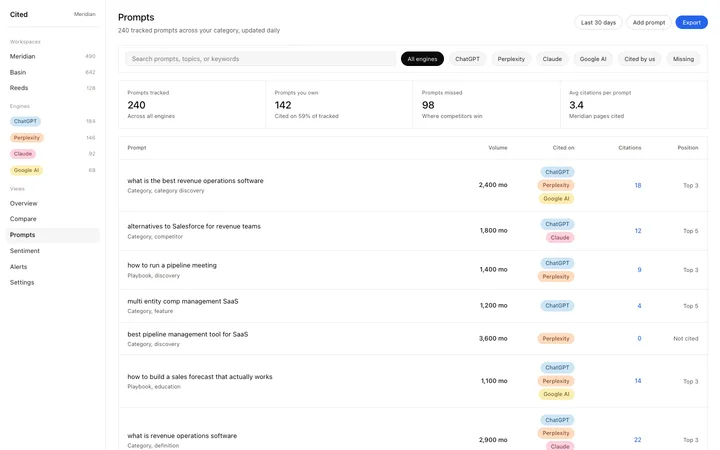
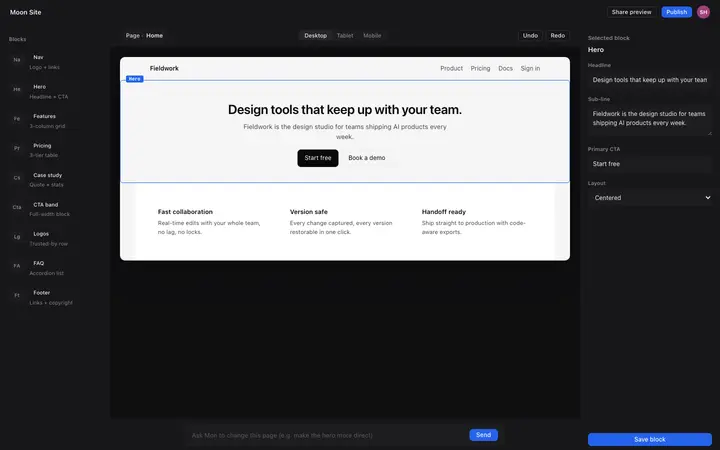
A good AI dashboard makes an AI's work visible and easy to control. The best AI dashboard designs show what the AI did, why, and what it costs, let people review or undo its work, and turn answers into something they can use, like a table, a draft or a task. The designs below are real AI app interfaces, from agent dashboards to chat and prompt tools, that you can study and build with an AI coding tool. These AI app UI examples cover AI agent dashboards, AI chat interfaces, prompt playgrounds, usage and token dashboards and AI workflow builders, so you can find an AI interface design that fits your product.
A clear log or timeline of actions, with status for each one, turns an invisible process into something people can trust.
Approve, edit, retry and undo should always be one click away. AI that acts without a way back feels risky.
Answers people can save, edit or export, like tables, drafts and tasks, are worth more than text that scrolls away in a chat.
Where an answer came from and how sure the AI is help people decide when to double-check.
Tokens, credits or runs used, shown next to limits, prevent surprise bills and build trust.
Agent dashboards show a list of runs or tasks with their status, steps and results, plus controls to pause or approve. Chat-first AI interfaces put a conversation in the centre with a sidebar of history and projects, and work best when answers can turn into documents or tasks.
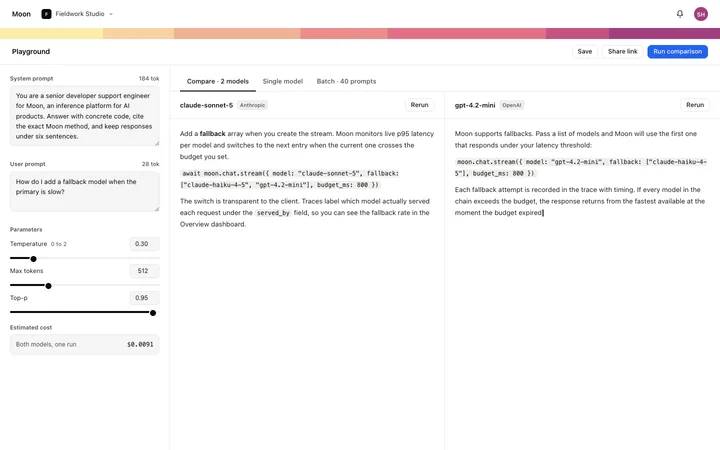
Prompt playgrounds and model consoles give developers inputs, settings and outputs side by side. Usage and analytics dashboards track tokens, cost, latency and quality over time, which matters for anyone paying per request.
Open any ai dashboard design above to see it live and full size.
Copy the template code from the design's page. It is plain HTML and CSS.
Paste it into Lovable, Bolt, Claude Code, Cursor or v0 and ask for it in your stack.
Ask the tool to swap in your copy, brand colours and links, keeping the layout and spacing.
Not every task is a conversation. Give people buttons, forms and views for the jobs they do often.
When the AI changes something without showing it, people stop trusting it. Log every action.
AI gets things wrong. Without edit and undo, one mistake ends the session.
Usage that only appears on the invoice causes churn. Show it in the dashboard.
It shows what the AI did and why, keeps people in control with approve, edit and undo, turns answers into usable objects, and makes usage and cost visible.
Only for open questions. For repeated jobs, buttons, forms and saved views are faster than typing the same request every time.
List each task or run with its status and steps, show the result, and give clear controls to pause, approve, retry or undo.
Requests, tokens or credits used, cost, limits and trends over time, so people can predict their bill.
Yes. Open any design, copy the template and paste it into Lovable, Bolt, Claude Code or Cursor with your own data and features.
Yes. Each design adapts to smaller screens, and the AI tool keeps the layout when it adapts it to your product.
More design ideas