llms.txt generator app template for SaaS sites
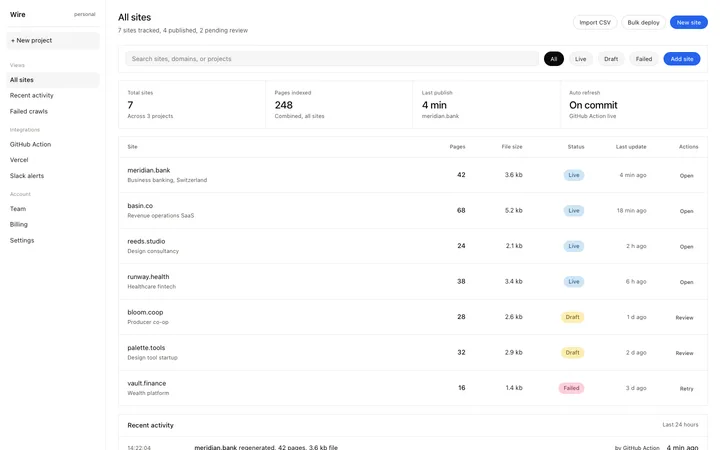
llms.txt generator app template for the multiple site workspace screen of a SaaS product. Minimal design. Use this AI template with Claude Code, Replit, Lovable, ChatGPT Codex, Bolt, Cursor, or another coding tool.
About this vibe coding template
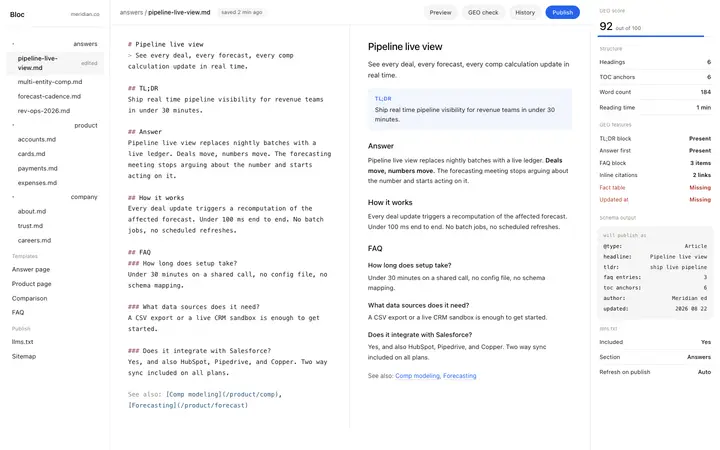
llms.txt generator app template for the core workspace of an llms.txt management SaaS product. The layout shows a site workspace with the domain URL in the header and an action bar with refresh, edit, and copy controls. The main content area shows the generated llms.txt file content with markdown structure: a project description heading, and a list of crawled pages each with a single line AI readable summary. A toggle below the file content reveals the full crawled page list with status indicators. A publish targets row at the bottom shows deployment status to different environments. Minimal design. Describe your product, your audience, and your offer, and your coding tool fills in the copy and the images.
Build a full SaaS app or admin dashboard with this template design
A SaaS app or admin dashboard is dozens of screens sharing one shell, so one dashboard template can set the standard for the navigation, the spacing, and the card design on every screen after it. Copy the template, paste it into Claude Code, Replit, Lovable, ChatGPT Codex, Bolt, or Cursor, and send this alongside it.
Paste into Claude Code, Replit, Lovable, Bolt, or Cursor
Common questions about this template
What is an llms.txt generator app template?
A SaaS product screen template for the core workspace of a tool that generates and manages llms.txt files across sites. It shows the generated file content, the crawled page list, and deploy status.
What is the toggleable page list?
A collapsible section below the generated file content showing every page the tool crawled, with the page title, path, and processing status. Expanding it lets users review which pages are included in the llms.txt output.
What does the publish targets row show?
A row at the bottom of the workspace showing deployment status for different environments: production, staging, and preview. Each target shows its URL and the last publish timestamp.
Which tools work with this llms.txt generator app template?
Claude Code, Replit, Lovable, ChatGPT Codex, Bolt, and Cursor. Paste it in and describe your tool's workspace layout, page list, and publish targets to build a complete llms.txt product screen.
Use this AI coding template for
- ·llms.txt generator app workspace for a tool managing AI crawl files for multiple sites
- ·AI crawl file management product screen template for Claude Code, Lovable, or Bolt
- ·llms.txt editor product app template with publish status row
- ·Multiple site AEO tool workspace template for SaaS builders
Works with every vibe coding tool
More from the llms.txt generator set
2 templates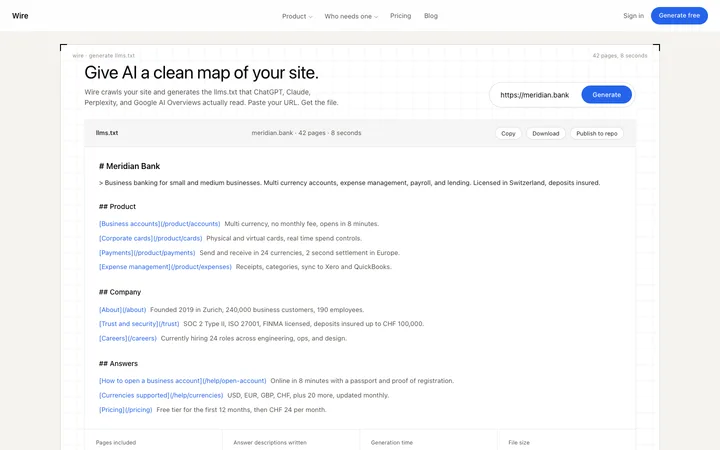
More dashboard templates
View all
More vibe coding AEO templates
View all
Other templates you might like