Date picker template in HTML for SaaS apps
Date picker template for SaaS forms, for choosing a day from a calendar someone can see. A custom date picker looks the same in every browser, which the native one does not. Use this AI template with Claude Code, Replit, Lovable, ChatGPT Codex, Bolt, Cursor, or another coding tool.
About this vibe coding template
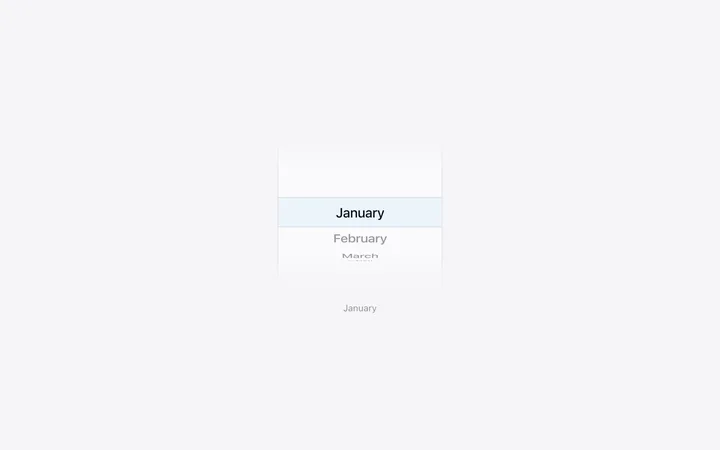
Date picker template for SaaS apps taking dates in a form. Typing a date is a small trap: everyone writes them differently and half the world puts the month first, so free text produces data you cannot trust. A calendar removes the ambiguity and answers the other question people actually have, which is what day of the week that lands on. The native browser control does the job but looks different in every browser and takes almost no styling, which is why a custom one is worth having. Minimal design with glassmorphism.
Build a full SaaS landing page or website with this template design
A SaaS landing page or website is multiple pages that need to feel like one professional site, so one well built coding template can set the standard for every page after it. Copy the template, paste it into Claude Code, Replit, Lovable, ChatGPT Codex, Bolt, or Cursor, and send this alongside it.
Paste into Claude Code, Replit, Lovable, Bolt, or Cursor
Common questions about this template
What is a date picker?
A calendar that opens from a field so someone can pick a day by looking at it, with no typing and no format to guess.
Why not use the browser date input?
It works, but it looks different in every browser and takes almost no styling, so a SaaS product using it has one control that never matches the rest.
Should a date picker show the surrounding weeks?
Yes. Showing the tail of the previous month and the start of the next keeps the grid a consistent shape and makes dates near the boundary reachable.
Which tools work with this date picker?
Claude Code, Replit, Lovable, ChatGPT Codex, Bolt, and Cursor. Paste it in and describe the dates your form should allow.
Use this AI coding template for
- ·Date selection in a booking or scheduling flow
- ·Filter by date in a SaaS dashboard or report
- ·Deadline or due date in a project product
- ·Date picker for vibe coding in Claude Code, Lovable, or Bolt
Works with every vibe coding tool
More minimal templates
View all
More vibe coding forms templates
View all
Other templates you might like