AI automation dashboard template for SaaS
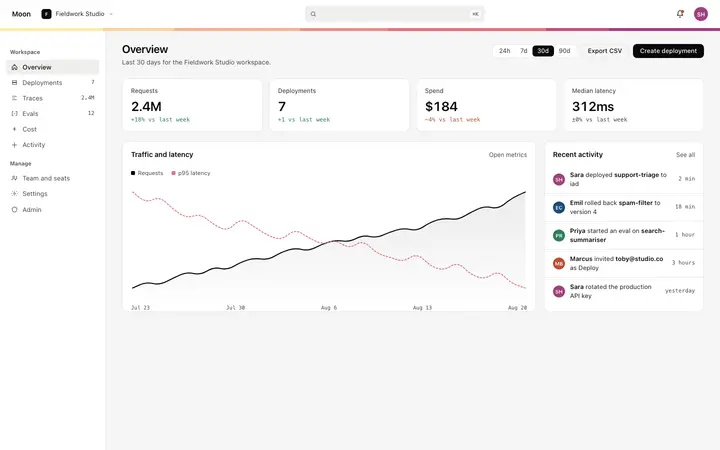
AI automation dashboard template for SaaS products that run jobs on a schedule or a trigger. It covers the management surface, with run logs, metrics cards, status indicators, and task controls. Use this AI template with Claude Code, Replit, Lovable, ChatGPT Codex, Bolt, Cursor, or another coding tool.
About this vibe coding template
Interactive AI automation dashboard UI for vibe coding and SaaS builders. This is the interface for building an AI automation management product, not the automation engine itself. Paste it in and describe the automation types, the metrics you want to surface, and the control actions your product needs. Minimal design. Give your coding tool the product name and the positioning, then ask it for the rest of the pages in the same design.
Build a full SaaS app or admin dashboard with this template design
A SaaS app or admin dashboard is dozens of screens sharing one shell, so one dashboard template can set the standard for the navigation, the spacing, and the card design on every screen after it. Copy the template, paste it into Claude Code, Replit, Lovable, ChatGPT Codex, Bolt, or Cursor, and send this alongside it.
Paste into Claude Code, Replit, Lovable, Bolt, or Cursor
Common questions about this template
What is an AI automation dashboard?
The interface for monitoring and controlling AI automation runs inside a SaaS product. This template covers the management surface: run logs, metrics cards, status indicators, and task controls. It is a starting point for building the product, not a finished automation engine.
What should an AI automation dashboard include?
A run log that shows recent automation executions with status and duration, aggregate metrics at the top, a way to trigger or pause individual automations, and a detail view for inspecting a specific run. Those surfaces cover the core monitoring and control needs.
What vibe coding tools work with this AI automation dashboard?
It works with Claude Code, Replit, Lovable, ChatGPT Codex, Bolt, and Cursor. Paste it in and describe the automation types, metrics, and controls your product needs.
Is this template interactive?
Yes. The template includes hover states on the run log rows and status cards, so you can explore the monitoring interface before connecting it to a real automation backend.
Use this AI coding template for
- ·AI automation dashboard UI template for building a SaaS automation management product
- ·Interactive monitoring dashboard for AI automation runs with logs, status, and metrics cards
- ·SaaS UI for an automation platform with run logs, performance metrics, and task controls
- ·Vibe coding starting point for an AI process monitoring and automation management product
Works with every vibe coding tool
More from the AI tool interface set
All 15 templates
More dashboard templates
View all

More vibe coding SaaS templates
View all

Other templates you might like