API keys page template for SaaS apps
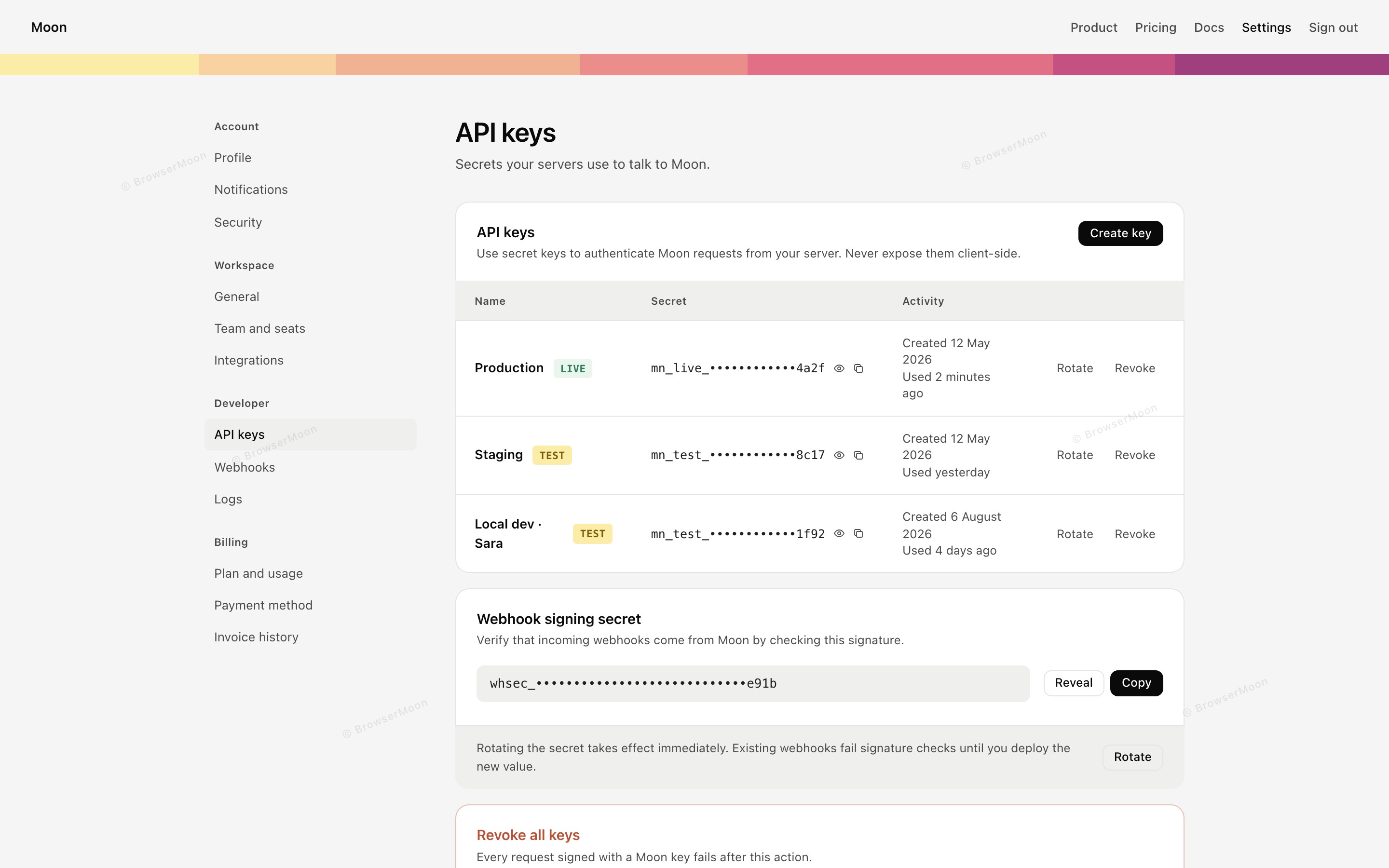
Interactive API keys page template for SaaS developer settings and developer tools. Developer settings with live and test API keys, a webhook secret, and key management. Use this AI template with Claude Code, Replit, Lovable, ChatGPT Codex, Bolt, Cursor, or another coding tool.
More from the Account and billing set 11 matching pages
All 11 pages ›

What is included in this SaaS template
Interactive API keys page template for SaaS developer settings and developer tools. A developer settings dashboard showing all API keys and the webhook secret. A create key button at the top lets developers generate a new API key. The webhook secret section shows the signing secret for verifying incoming webhook events, with a separate reveal and rotate action. Use it as the API keys page for any SaaS product, developer tool, or API first platform. Minimal design. Paste it into Claude Code, Replit, Lovable, ChatGPT Codex, Bolt, or Cursor and describe the API key fields, the environment labels, and the webhook secret section you want.
Build a full documentation site with Lovable, Cursor, or Claude Code
A documentation site spans dozens of product guides and API reference pages that developers navigate constantly, so one documentation template anchors every docs page that follows. Copy this template, paste it into Lovable, Bolt, Cursor, Claude Code, Replit, ChatGPT Codex, Google Antigravity, or any AI coding tool, and send this prompt with it.
Paste into Lovable, Bolt, Cursor, Claude Code, Codex, Antigravity, or any AI coding tool
DESIGN.md file for Claude Code, Cursor, and Lovable
The colors, typography, and UI components of this template as a DESIGN.md file, the open format AI coding tools read. Drop it in your project root and point Claude Code, Cursor, Lovable, Bolt, Codex, Antigravity, or any AI coding tool to it, or import it into Google Stitch.
DESIGN.md--- version: alpha name: "API keys page" colors: primary: "#0A0A0A" on-primary: "#FFFFFF" neutral: "#F5F5F5" on-surface: "#0A0A0A" on-surface-muted: "#4A4A4A" surface: "#EFEFED" secondary: "#B85236"
Not sure this template fits?Ask Mon, your free AI designer.
Ask Mon, our free AI designer, how to adapt API keys page template for SaaS apps for higher signups, free trials, and sales.
3D launch videos, mockups, and conversion guides
Questions about this SaaS template
What does this API keys page template include?
A table of API keys with key name, live and test environment labels, a masked key value with reveal and copy icons, creation date, last used date, and rotate and revoke actions, plus a webhook secret section with a reveal and rotate action.
How does key masking work in this SaaS API keys template?
Keys show as masked strings with just the last four characters visible. Two icons sit to the right: one to reveal the full API key value and one to copy it to the clipboard. This keeps keys out of view by default while still making them accessible when needed.
What is the webhook secret section in this SaaS API keys template?
The webhook secret is a separate signing secret for verifying that incoming webhook events are from the expected source. It has its own reveal icon and a rotate action to generate a new secret without affecting any API keys.
Which settings templates make up the full settings surface?
Six templates cover the settings surfaces of a SaaS product: the account settings page for profile photo, personal details, and display preferences, the workspace settings page for workspace name, URL, and ownership transfer, the team members page for inviting members, assigning user roles, and managing seats, the API keys page for live and test API keys and a webhook secret, the integrations page for connected apps and available services, and the security settings page for password, two factor authentication, active sessions, and SSO.
Which vibe coding tools work with this API keys page template?
Claude Code, Replit, Lovable, ChatGPT Codex, Bolt, and Cursor. Paste it in and describe the API key fields, environment labels, and the webhook secret section you want.
How do I build a full SaaS settings area with this template?
Use this template as the first page of the SaaS settings area, then ask your AI coding tool for the rest. Claude Code, Replit, Lovable, Bolt, and Cursor can all read the design and repeat it across the rest of your pages.
Can I use this template commercially for client projects or SaaS products?
Yes. A one-time BrowserMoon license ($349) unlocks all 730+ website and mobile app UI templates for unlimited personal, commercial, and client projects, including their animations, visuals, and gradients. It is lifetime access with no subscription, no attribution required, and no per-project fee. You cannot resell or redistribute the templates as a template pack. See the template license.


