Workspace settings template for SaaS apps
Interactive workspace settings template for SaaS products and team apps. Minimal design. Use this AI template with Claude Code, Replit, Lovable, ChatGPT Codex, Bolt, Cursor, or another coding tool.
About this vibe coding template
Interactive workspace settings template for SaaS products and team apps. A workspace settings dashboard in account settings, covering the workspace as a shared entity for the whole team. The workspace logo section shows the current logo with upload and remove actions. The workspace name and URL form collects the workspace name and the workspace URL slug, with the product domain shown as a prefix before the slug input. A note explains that changing the URL breaks existing links and that the old URL redirects for a limited time. The transfer ownership section shows a dropdown of existing admins, with a note that the new owner must accept the transfer by email. Minimal design. Swap the copy and the images for your own and the page is ready to ship.
Build a full SaaS settings area with this template design
A SaaS settings area covers account settings, workspace settings, team members, API keys, and security pages that share one sidebar, so one settings template can set the standard for every page after it. Copy the template, paste it into Claude Code, Replit, Lovable, ChatGPT Codex, Bolt, or Cursor, and send this alongside it.
Paste into Claude Code, Replit, Lovable, Bolt, or Cursor
Common questions about this template
What does this workspace settings template include?
A workspace logo section with upload and remove actions, a workspace name and URL form with a domain prefix input, a transfer ownership section with an admin selector, and a delete workspace danger zone.
How does the workspace address section work in this SaaS settings template?
The URL field shows the product domain as a fixed prefix and lets the admin edit the workspace slug. A note below the form explains that the old URL redirects for a limited time after a URL change so that existing links do not break immediately.
Which settings templates make up the full settings surface?
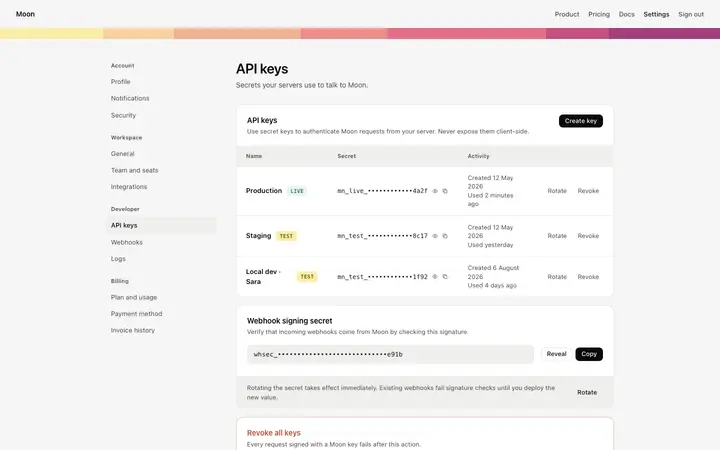
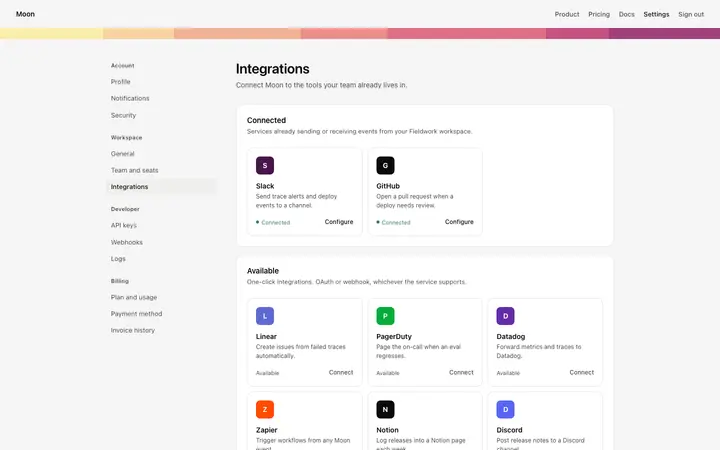
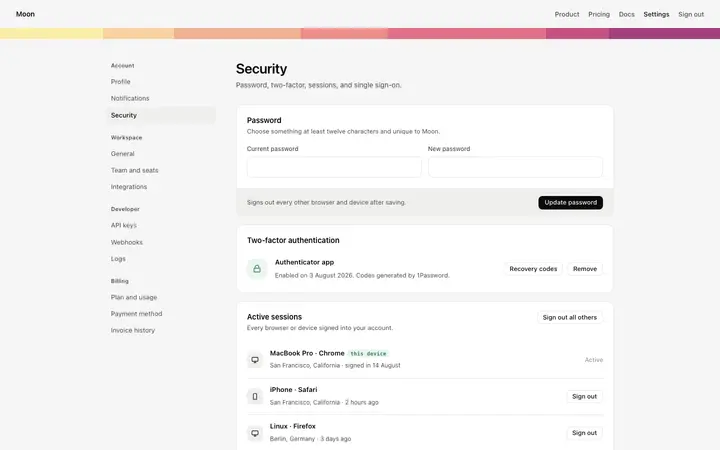
Six templates cover the settings surfaces of a SaaS product: the account settings page for profile photo, personal details, and display preferences, the workspace settings page for workspace name, URL, and ownership transfer, the team members page for inviting members, assigning user roles, and managing seats, the API keys page for live and test API keys and a webhook secret, the integrations page for connected apps and available services, and the security settings page for password, two factor authentication, active sessions, and SSO.
How does the transfer ownership section work in this template?
A dropdown lists all current admins as transfer candidates. Submitting the form sends a confirmation email to the new owner. Ownership transfers after the new owner accepts, so the admin keeps control until then.
Which vibe coding tools work with this workspace settings template?
Claude Code, Replit, Lovable, ChatGPT Codex, Bolt, and Cursor. Paste it in and describe the workspace fields, URL prefix, and the ownership transfer flow you want.
How do I build a full SaaS settings area with this template?
Give Claude Code, Replit, Lovable, Bolt, or Cursor this template as the reference design, then ask for each page of your SaaS settings area one at a time. The tool holds the visual language once it has a finished coding template to work from.
Use this AI coding template for
- ·Workspace settings template for a SaaS product or team app
- ·Workspace settings dashboard with name, URL, and transfer ownership
- ·Settings page for workspace management in a multi user SaaS product
- ·Vibe coding workspace settings template
Works with every vibe coding tool
More from the Account and billing set
All 11 pages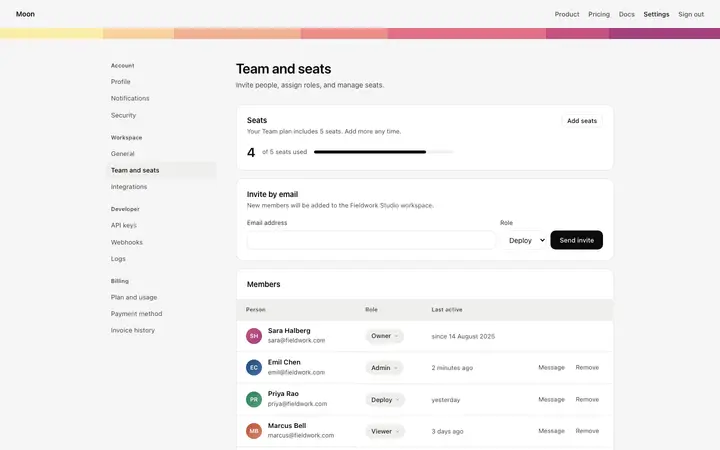
More settings templates
View all
More vibe coding SaaS templates
View all
Other templates you might like