Integrations page template for SaaS apps
Interactive integrations page template for SaaS products and team apps. Minimal design. Use this AI template with Claude Code, Replit, Lovable, ChatGPT Codex, Bolt, Cursor, or another coding tool.
About this vibe coding template
Interactive integrations page template for SaaS products and team apps. A settings dashboard showing all available and connected integrations in a card grid. The available integrations section shows every service the product supports but that the workspace has not yet connected, with a connect link on each card. Each integration card shows a colored logo, the service name, a one line description of what the integration does, and the connection status. The grid handles OAuth based and webhook based integrations in the same layout. Use it as the integrations page for any SaaS product, team app, or developer tool that connects to third party services. Minimal design. Describe your product, your audience, and your offer, and your coding tool fills in the copy and the images.
Build a full SaaS settings area with this template design
A SaaS settings area covers account settings, workspace settings, team members, API keys, and security pages that share one sidebar, so one settings template can set the standard for every page after it. Copy the template, paste it into Claude Code, Replit, Lovable, ChatGPT Codex, Bolt, or Cursor, and send this alongside it.
Paste into Claude Code, Replit, Lovable, Bolt, or Cursor
Common questions about this template
What does this integrations page template include?
A connected apps section with a card grid showing each integration's logo, description, connected status indicator, and a configure link, and an available integrations section with cards for services not yet set up, each with a connect link.
How are the integration cards organized in this SaaS settings template?
Connected integrations appear first in their own section, since these are what the team actively uses. Available integrations appear in a second section below. Within each section, cards are in a grid so the page stays scannable as the number of integrations grows.
Which settings templates make up the full settings surface?
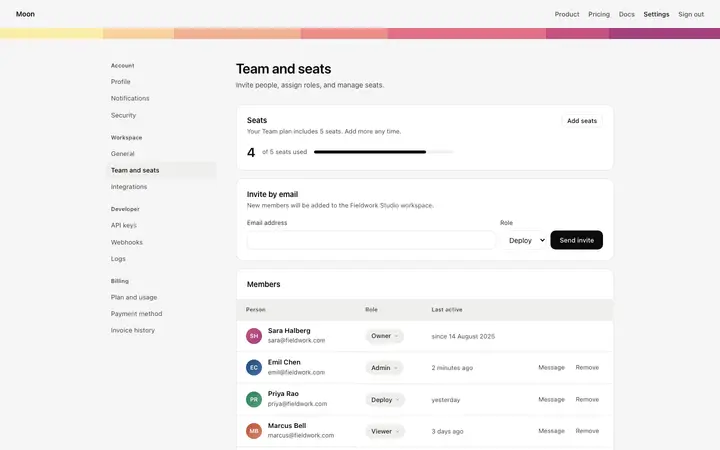
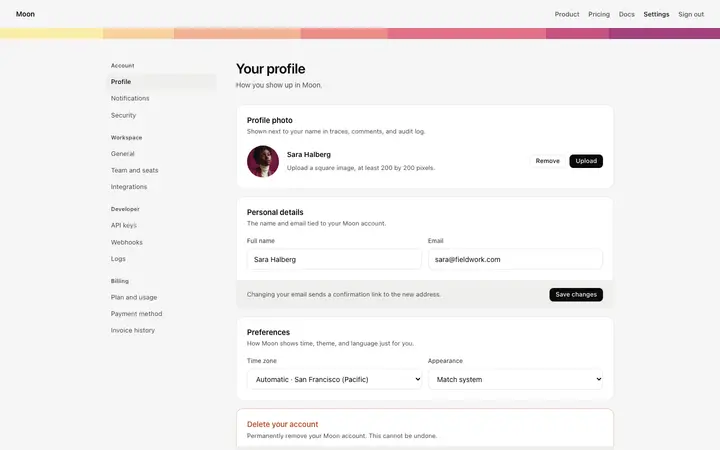
Six templates cover the settings surfaces of a SaaS product: the account settings page for profile photo, personal details, and display preferences, the workspace settings page for workspace name, URL, and ownership transfer, the team members page for inviting members, assigning user roles, and managing seats, the API keys page for live and test API keys and a webhook secret, the integrations page for connected apps and available services, and the security settings page for password, two factor authentication, active sessions, and SSO.
Does this integrations template support both OAuth and webhook integrations?
Yes. The card layout works for both OAuth based connected apps and webhook based integrations. The configure link on connected cards opens whichever configuration the integration needs. The description on each card can explain whether the integration uses OAuth or a webhook.
Which vibe coding tools work with this integrations page template?
Claude Code, Replit, Lovable, ChatGPT Codex, Bolt, and Cursor. Paste it in and describe the integrations you want to show, the logos, and the descriptions.
How do I build a full SaaS settings area with this template?
Start by pasting this coding template into Claude Code, Replit, Lovable, ChatGPT Codex, Bolt, or Cursor as your reference design. Then name each page of the SaaS settings area you want built, and every one comes back matching the template you started from.
Use this AI coding template for
- ·Integrations page template for a SaaS product or team app
- ·Connected apps settings dashboard with integration cards
- ·Settings page for third party integrations in a SaaS product
- ·Vibe coding integrations page template
Works with every vibe coding tool
More from the Account and billing set
All 11 pages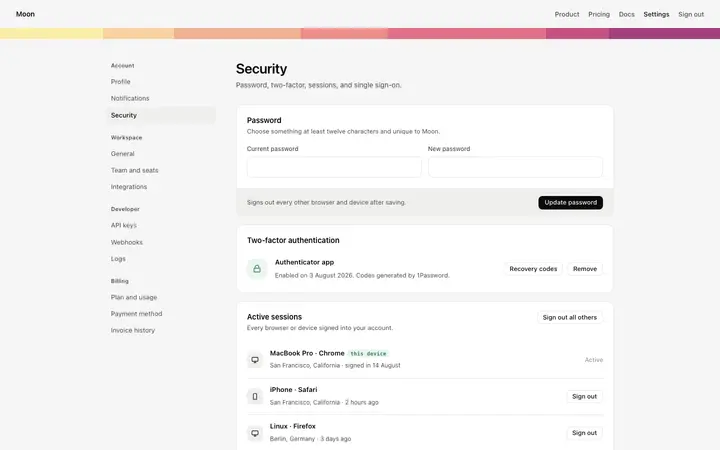
More settings templates
View all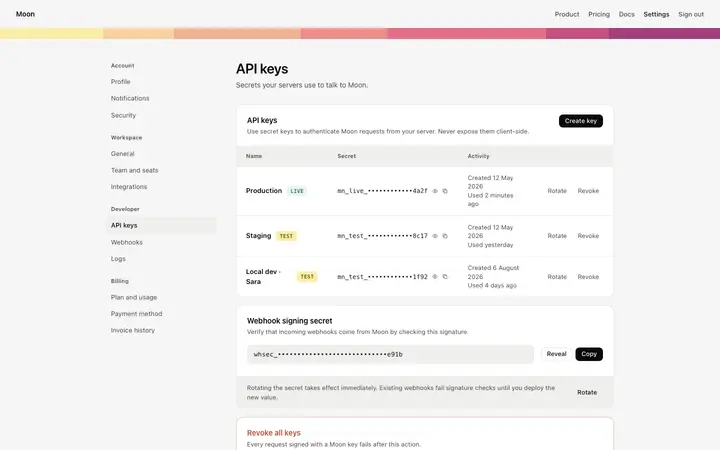
More vibe coding SaaS templates
View all
Other templates you might like