Changelog page template for SaaS products
Changelog page template for SaaS products and developer tools. A documentation changelog showing version history in reverse chronological order, with dated changelog entry cards filterable by changes, fixes, and SDK updates. Includes an RSS and digest subscribe option. Use this AI template with Claude Code, Replit, Lovable, ChatGPT Codex, Bolt, Cursor, or another coding tool.
About this vibe coding template
Changelog page template for SaaS products, developer tools, and release driven teams. A dashboard showing product version history in reverse chronological order. Each release appears as a changelog entry card with the version number, release date, and a summary headline. Below the headline, bullet points detail the specific changes, fixes, and feature additions in that release. Filter tabs at the top let readers narrow the cards to changes only, fixes only, or SDK updates only. The navigation carries links to the rest of the documentation dashboard: guides, API reference, and sign in. Minimal design. Paste it into Claude Code, Replit, Lovable, ChatGPT Codex, Bolt, or Cursor and describe the version entries you want to show and the filter categories that match your release process.
Build a full documentation site with this template design
A documentation site is dozens of guides and API reference pages that developers move between constantly, so one documentation template can set the standard for every docs page after it. Copy the template, paste it into Claude Code, Replit, Lovable, ChatGPT Codex, Bolt, or Cursor, and send this alongside it.
Paste into Claude Code, Replit, Lovable, Bolt, or Cursor
Common questions about this template
What does this changelog page template include?
A documentation changelog dashboard with versioned entry cards, release dates, change bullet points, filter tabs for changes, fixes, and SDK updates, an RSS and digest subscribe option, and top navigation linking to the rest of the documentation dashboard.
How are release notes organized in this SaaS changelog template?
Entries run in reverse chronological order, newest first. Each changelog entry card shows the version number, date, and a summary headline and bullet points. Filter tabs at the top narrow the cards to a specific change type so readers can scan only fixes or only SDK updates.
Which templates make up the full documentation set?
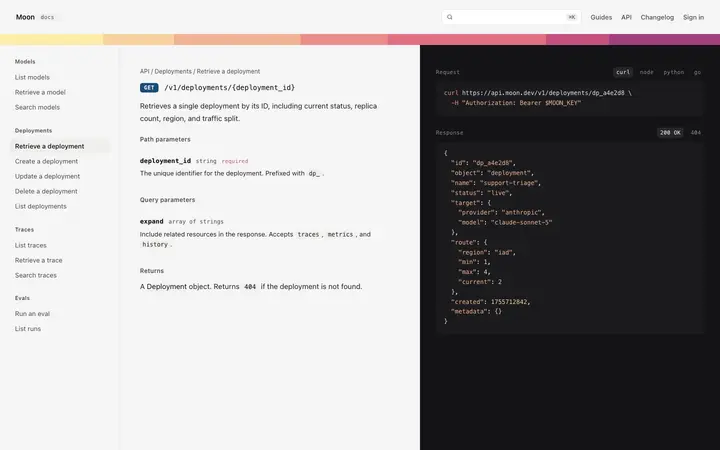
Five templates cover a complete documentation site for a SaaS product or developer tool: the documentation site home as the entry point, the documentation article page for a single guide with its own page outline, the API documentation page for API reference grouped by endpoint, the changelog page for dated release notes and version history, and the docs search page for search results grouped by guides, API reference, and changelog.
Should a SaaS changelog template link from the documentation site template?
Yes. The documentation site home template includes a changelog section with links to recent version entries, making the changelog page a natural destination within the documentation dashboard. Linking them helps readers who arrive at the docs home find release notes without a separate search.
Which vibe coding tools work with this changelog page template?
Claude Code, Replit, Lovable, ChatGPT Codex, Bolt, and Cursor. Paste it in and describe the version entries you want to show and the filter categories that match your release process.
How do I build a full documentation site with this template?
Copy this coding template, paste it into Claude Code, Replit, Lovable, ChatGPT Codex, Bolt, or Cursor, and tell the tool to use it as the design system for your whole documentation site. It reads the type scale, spacing, colors, and component styling from the template, then applies them to every page it builds after that.
Use this AI coding template for
- ·Changelog page template for a SaaS product or developer tool
- ·Release notes documentation page with versioned entry cards and filterable change types
- ·Developer changelog dashboard with RSS feed and subscribe option
- ·Vibe coding changelog page template
Works with every vibe coding tool
More dashboard templates
View all
More vibe coding SaaS templates
View all


Other templates you might like