Combobox autocomplete input in HTML for SaaS
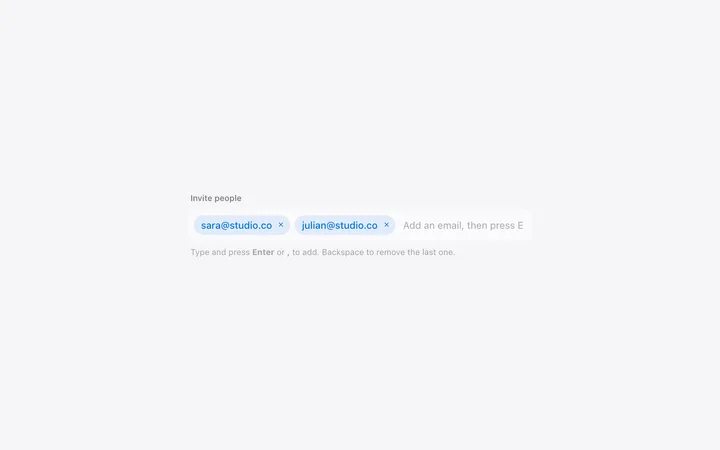
Combobox autocomplete input for SaaS forms where the list is too long to scroll and too particular to type. It narrows as someone types and keeps them to real values. Use this AI template with Claude Code, Replit, Lovable, ChatGPT Codex, Bolt, Cursor, or another coding tool.
About this vibe coding template
Combobox autocomplete input for SaaS forms that ask for one value out of hundreds. Country, city, currency, timezone, and account name are all fields where a plain list is unusable and free text produces data nobody can query later. Letting someone type and narrowing as they go gets both: the speed of typing and the cleanliness of a fixed set. Almost every ready-made version of this assumes React, which is no use if you are building plain pages. This one drops in as is. Minimal design with glassmorphism.
Build a full SaaS landing page or website with this template design
A SaaS landing page or website is multiple pages that need to feel like one professional site, so one well built coding template can set the standard for every page after it. Copy the template, paste it into Claude Code, Replit, Lovable, ChatGPT Codex, Bolt, or Cursor, and send this alongside it.
Paste into Claude Code, Replit, Lovable, Bolt, or Cursor
Common questions about this template
What is a combobox?
A field you can type into that narrows a list as you go and keeps the final answer to a real value. It is what you want when the list is too long to scroll but the answer has to be exact, which covers most SaaS settings and signup fields.
How is a combobox different from a search box?
A search box takes anything and shows results. A combobox commits to one value from a known set, so what lands in your data is always something the product recognizes.
Does this work without React?
Yes. Most ready-made comboboxes assume a framework. It drops into a static page or an existing app without changes.
Which tools work with this combobox template?
Claude Code, Replit, Lovable, ChatGPT Codex, Bolt, and Cursor. Paste it in and describe the list it should draw from.
Use this AI coding template for
- ·Country or city field in a signup or checkout form
- ·Account or customer picker inside a SaaS product
- ·Currency or timezone selection in settings
- ·Autocomplete input for vibe coding in Claude Code, Lovable, or Bolt
Works with every vibe coding tool
More minimal templates
View all


More vibe coding forms templates
View all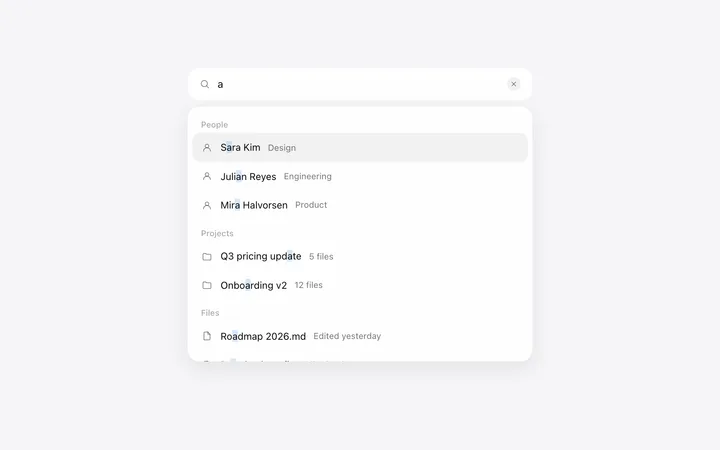
Other templates you might like