AI assistant chat screen app template
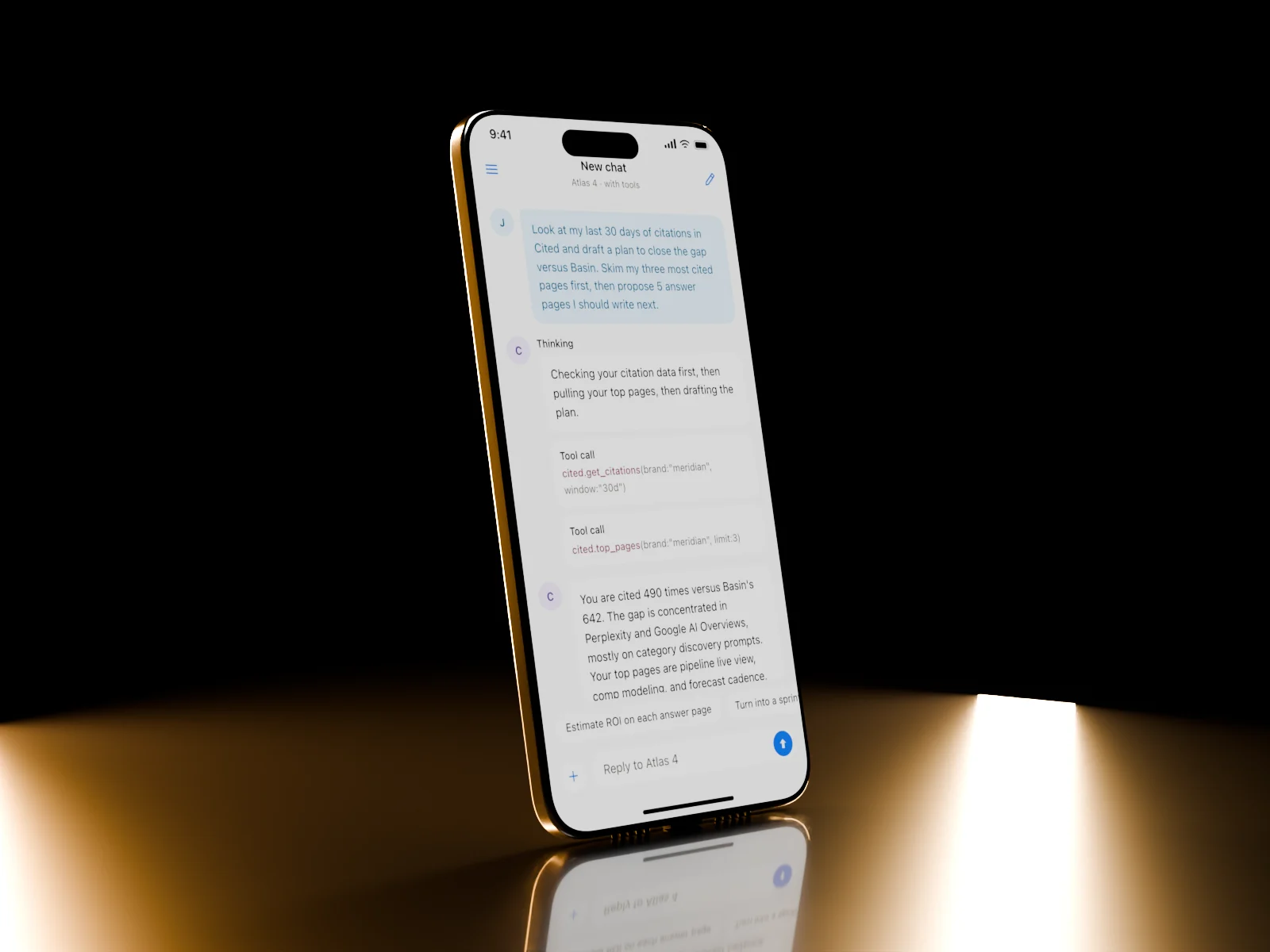
An AI assistant chat screen for iOS and Android apps, showing the parts users need to trust the answer. The model is named in the header, thinking and tool steps are visible while they run, and the reply follows underneath. Use it for AI products, research tools, and any assistant that calls tools before answering. Connect your model API via Bolt, Lovable, or Replit.

What is included in this productivity app template
An AI chat that shows only the final answer feels like a guess. This screen shows the work. The model is named at the top so the user knows what they are talking to, thinking and tool steps appear while they run so a slow answer reads as progress, not a hang, and the reply lands underneath. Showing the tool call is what separates a product users trust from one they check elsewhere. Keep the intermediate states honest, since fake progress is worse than none. Paste it into Bolt, Lovable, or Replit and connect it to your model API.
Build a full mobile productivity app with Lovable, Bolt, or Cursor
A mobile productivity app repeats lists, threads, and detail views across daily workflows, so one screen template anchors every view that follows. Copy this template, paste it into Lovable, Bolt, Cursor, Claude Code, Replit, ChatGPT Codex, Google Antigravity, or any AI coding tool, and send this prompt with it.
Paste into Lovable, Bolt, Cursor, Claude Code, Codex, Antigravity, or any AI coding tool
Not sure this template fits?Ask Mon, your free AI designer.
Ask Mon, our free AI designer, how to adapt AI assistant chat screen for higher mobile signups, retention, and paid subscriptions.
3D launch videos, mockups, and conversion guides
Questions about this productivity app template
Should an AI chat show its reasoning?
Show that work is happening and what kind. Users forgive a slow answer when they can see progress, and they trust an answer more when they can see where it came from.
Why name the model in the interface?
Users care which model they are talking to, and hiding it invites the assumption you are using the cheapest one. Naming it also makes a model switcher an obvious next feature.
How do I show tool calls without cluttering the screen?
Give them their own compact step in the flow, not mixing them into the reply. They should be readable if someone looks and ignorable if they do not.
How do I connect this to a model API?
Paste it into Bolt, Lovable, or Replit and ask your AI to stream responses into the reply area and render each tool call as its own step as it happens.
Can I use this template commercially for client projects or SaaS products?
Yes. A one-time BrowserMoon license ($349) unlocks all 730+ website and mobile app UI templates for unlimited personal, commercial, and client projects, including their animations, visuals, and gradients. It is lifetime access with no subscription, no attribution required, and no per-project fee. You cannot resell or redistribute the templates as a template pack. See the template license.
More productivity app templates for iOS and Android
View all ›
Stratus
Email inbox screen
Stratus
Email inbox screen

Typhoon
Task list screen
Typhoon
Task list screen

Breeze
Notes app screen
Breeze
Notes app screen

Felt
Calendar app event detail screen
Felt
Calendar app event detail screen

Felt
Calendar app new event screen
Felt
Calendar app new event screen

Fond
Task manager app home screen
Fond
Task manager app home screen
Other mobile app UI templates picked for this screen

Alma
Voice note transcript screen
Alma
Voice note transcript screen

Paper
Onboarding benefits screen
Paper
Onboarding benefits screen

Zip
Bank card controls screen
Zip
Bank card controls screen

Monsoon
Paywall with plan comparison
Monsoon
Paywall with plan comparison

Rally
Social auth sign-in
Rally
Social auth sign-in

Thunder
App home screen with dashboard card
Thunder
App home screen with dashboard card