AI agent chat UI template for SaaS apps
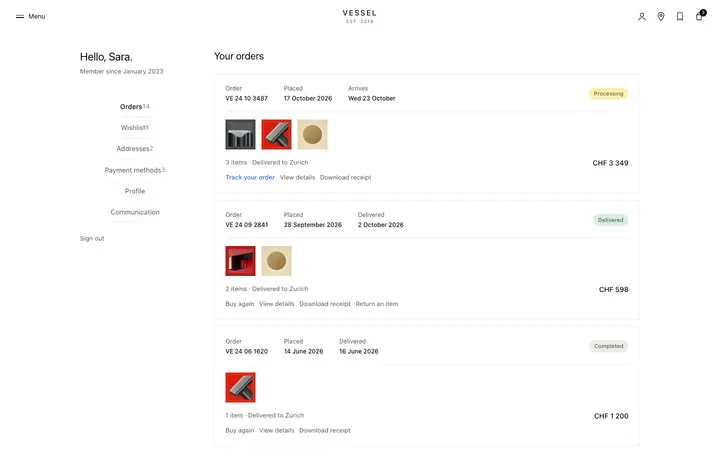
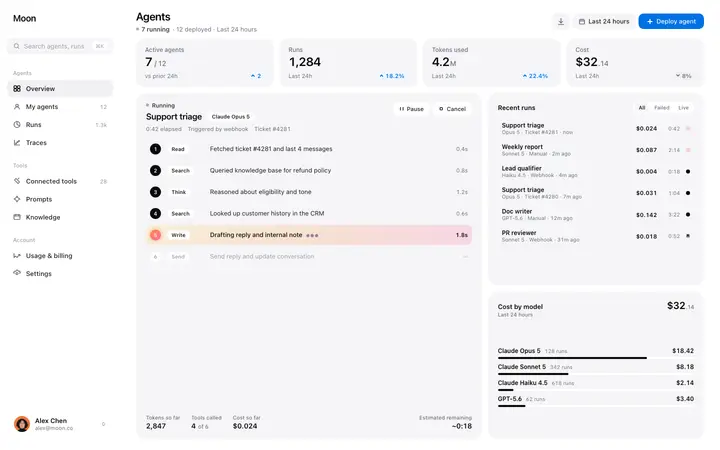
AI agent chat UI template for SaaS products where someone directs an agent and watches it work. It covers the dashboard, with a chat thread, task status cards, a tool call log, and agent controls. Use this AI template with Claude Code, Replit, Lovable, ChatGPT Codex, Bolt, Cursor, or another coding tool.
About this vibe coding template
Interactive AI agent chat UI for vibe coding and SaaS builders. This is the interface for building a product where users direct and monitor an AI agent through a chat surface, not the agent itself. Paste it in and describe the agent type, the tool call log format, and the control actions your product needs. Minimal design with parallax scroll. Use this AI agent chat UI with Claude Code, Replit, Lovable, ChatGPT Codex, Bolt, or Cursor to build the product interface for an AI coding agent, a browser agent, a research agent, or any product where users direct an autonomous AI through a chat interface and monitor its progress.
Build a full AI chat product or AI SaaS app with this template design
An AI chat product repeats one surface at different sizes, from a full chat interface to a chat widget and a copilot panel, so one AI chat template can set the standard for every screen after it. Copy the template, paste it into Claude Code, Replit, Lovable, ChatGPT Codex, Bolt, or Cursor, and send this alongside it.
Paste into Claude Code, Replit, Lovable, Bolt, or Cursor
Common questions about this template
What is an AI agent chat UI?
The interface for building a SaaS product where users direct and monitor an AI agent through a chat surface. This template covers the dashboard: a chat thread, task status cards, a tool call log, and an agent control panel. It is a starting point for building the product, not a finished agent.
How is an AI agent chat UI different from a chatbot UI?
A chatbot UI is for a product where the AI responds to messages. An AI agent chat UI is for a product where the AI takes actions: it calls tools, browses the web, writes code, or executes tasks. The agent chat surface shows the user what the agent is doing as well as what it is saying.
What vibe coding tools work with this AI agent chat UI?
It works with Claude Code, Replit, Lovable, ChatGPT Codex, Bolt, and Cursor. Paste it in and describe the agent type, the tool call format, and the control actions your product exposes.
Is this template interactive?
Yes. The template includes an active chat thread with message hover states and interactive status cards, so you can explore the agent UI before connecting it to a real agent backend.
Use this AI coding template for
- ·AI agent chat UI template for building a product where users direct an AI agent
- ·Interactive chat dashboard for an AI agent with task status, tool logs, and controls
- ·SaaS UI for a product where users interact with an autonomous AI through a chat thread
- ·Vibe coding starting point for an AI agent product with chat interface and task monitoring
Works with every vibe coding tool
More from the AI tool interface set
All 15 templates
More dashboard templates
View all
More vibe coding SaaS templates
View all

Other templates you might like