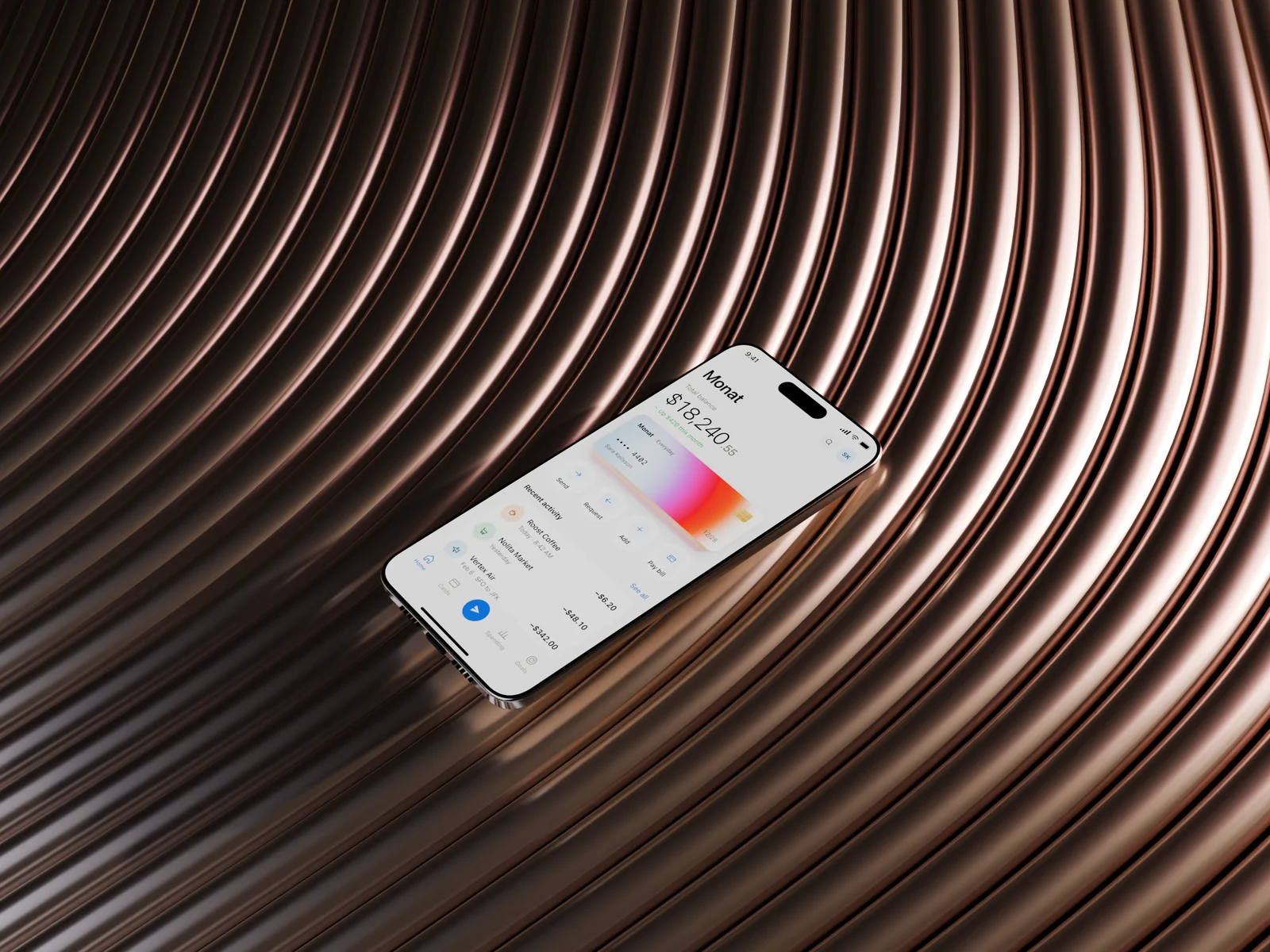
Banking app home screen template
A banking home screen for iOS and Android, opening with the total balance and the card, then the four actions people use most and a recent transaction list. Use it for neobanks, fintech products, and any app holding money on a customer's behalf. Connect your ledger via Bolt, Lovable, or Replit.

What is included in this finance app template
A banking home screen is opened many times a week to answer one question, which is how much is there. This screen answers it in the first line and then gets out of the way. The card sits under the balance so the account is identifiable when someone holds several, the actions are the four that cover most sessions, and recent transactions run underneath because the second question is always what just went out. Keep the action row short, since every extra button makes the common ones harder to hit. Paste it into Bolt, Lovable, or Replit and connect it to your ledger.
Build a full fintech or mobile banking app with Lovable, Bolt, or Cursor
A mobile banking or fintech app repeats balances, cards, and transaction rows across dozens of flows, so one finance template anchors every screen that follows. Copy this template, paste it into Lovable, Bolt, Cursor, Claude Code, Replit, ChatGPT Codex, Google Antigravity, or any AI coding tool, and send this prompt with it.
Paste into Lovable, Bolt, Cursor, Claude Code, Codex, Antigravity, or any AI coding tool
Not sure this template fits?Ask Mon, your free AI designer.
Ask Mon, our free AI designer, how to adapt Banking app home screen for higher mobile signups, retention, and paid subscriptions.
3D launch videos, mockups, and conversion guides
Questions about this finance app template
What should a banking home screen show first?
The balance, in the first line and large. It is the reason for most sessions, and any design that makes someone hunt for it will be judged slow no matter how fast it loads.
How many quick actions should there be?
Four or so. Every extra button shrinks the ones people actually use, and the long tail belongs on a menu, not the home screen.
Should transactions appear on the home screen?
Yes. What just went out is the second question after the balance, and answering it here saves a tap on most visits.
How do I connect this to real accounts?
Paste it into Bolt, Lovable, or Replit and ask your AI to read balances and transactions from your ledger, or from an aggregator, and render them into the list.
Can I use this template commercially for client projects or SaaS products?
Yes. A one-time BrowserMoon license ($349) unlocks all 730+ website and mobile app UI templates for unlimited personal, commercial, and client projects, including their animations, visuals, and gradients. It is lifetime access with no subscription, no attribution required, and no per-project fee. You cannot resell or redistribute the templates as a template pack. See the template license.
More finance app templates for iOS and Android
View all ›
Zip
Banking app unlock screen with hold to unlock
Zip
Banking app unlock screen with hold to unlock

Monat
Bank card detail screen
Monat
Bank card detail screen

Monat
Send money screen
Monat
Send money screen

Monat
Savings goals screen
Monat
Savings goals screen

Monat
Spending breakdown screen
Monat
Spending breakdown screen

Coastal
Finance app transaction list
Coastal
Finance app transaction list
Other mobile app UI templates picked for this screen

Kin
AI chat list screen
Kin
AI chat list screen

Alpine
News app onboarding screen
Alpine
News app onboarding screen

Sirocco
Paywall with social proof
Sirocco
Paywall with social proof

Arctic
Email sign-in
Arctic
Email sign-in

Felt
Calendar home screen
Felt
Calendar home screen

Glacial
Notes app onboarding screen
Glacial
Notes app onboarding screen