AI chat interface template for SaaS apps
AI chat interface template for AI SaaS products, assistants, and developer tools designed for a conversation. Use it as the main screen of a product where the chat is the whole experience. Use this AI template with Claude Code, Replit, Lovable, ChatGPT Codex, Bolt, Cursor, or another coding tool.
About this vibe coding template
AI chat interface template for SaaS products where the conversation is the product. It fits AI assistants, copilots, research tools, developer platforms, and anything where a person types and a model answers. Use it as the full application screen. Chat interfaces all look alike until you use one, and the difference is entirely in the details of how a long answer reads and how easy it is to get back to an old one. Minimal design with parallax scroll and a chat UI. It works in Claude Code, Replit, Lovable, ChatGPT Codex, Bolt, and Cursor.
Build a full AI chat product or AI SaaS app with this template design
An AI chat product repeats one surface at different sizes, from a full chat interface to a chat widget and a copilot panel, so one AI chat template can set the standard for every screen after it. Copy the template, paste it into Claude Code, Replit, Lovable, ChatGPT Codex, Bolt, or Cursor, and send this alongside it.
Paste into Claude Code, Replit, Lovable, Bolt, or Cursor
Common questions about this template
What does this AI chat interface template include?
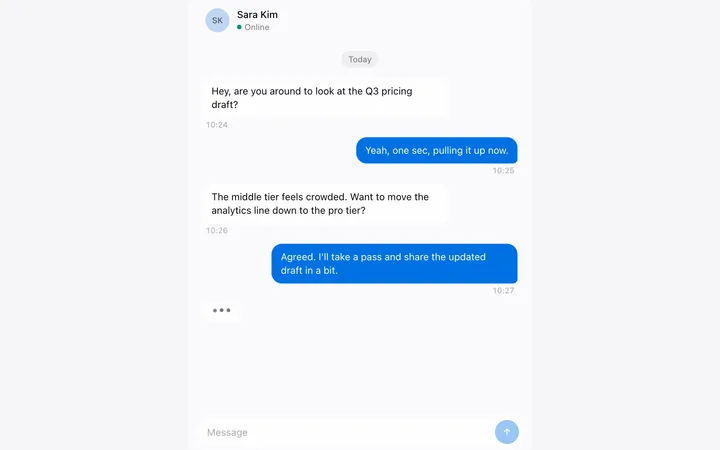
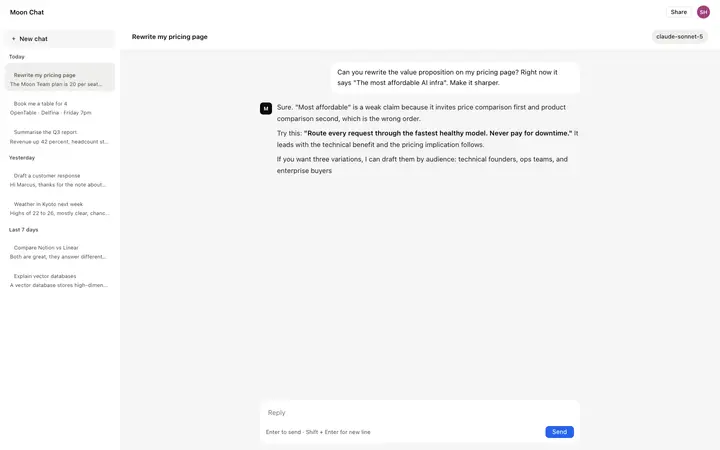
A conversation history sidebar grouped by today, yesterday, and last 7 days with titles and truncated previews, a main area with a model picker chip, a message thread with user bubbles and AI responses with syntax highlighted code blocks, an action row with copy and regenerate controls, a monospace metadata line per AI response, and a growing textarea input with send controls.
How is this AI chat template different from the chat widget and copilot panel?
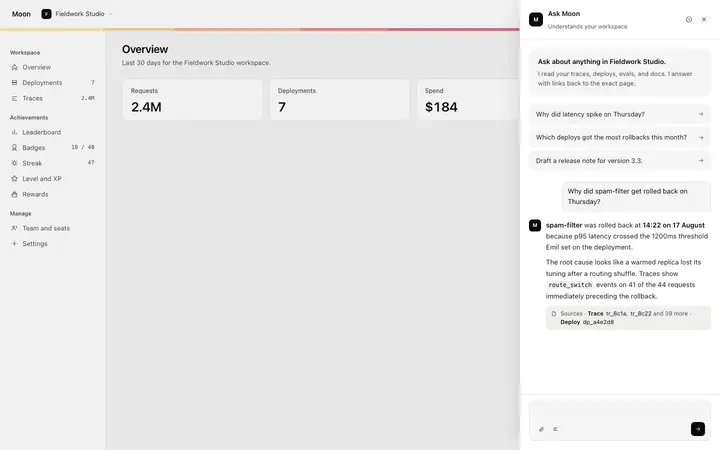
The chat interface is a full screen standalone application. The chat widget and copilot panel are compact versions of the same surface that overlay or extend an existing product screen. Use the chat interface when chat is the whole product or the primary view. Use the widget or panel when chat is a secondary feature layered on top of an existing UI.
How do code blocks work in the AI response?
AI response messages support inline code spans and full code blocks. Code blocks use a dark background with syntax highlighting: keywords in one color, strings in another, and comments in a muted tone. The block scrolls horizontally on narrow screens. Replace the sample code with whatever language your AI assistant is likely to produce.
How does the model picker chip work in this chat template?
A chip in the top bar shows the current model name with a status dot and a dropdown chevron. Clicking the chip opens a model selector for switching between models in the same conversation. Replace the model names with the models your product offers.
Which tools work with this AI chat interface template?
Claude Code, Replit, Lovable, ChatGPT Codex, Bolt, and Cursor. Paste it in, replace the conversation history and sample thread, and connect the send action to your model API.
How do I build a full AI chat product or AI SaaS app with this template?
Use this template as the first page of the AI chat product or AI SaaS app, then ask your AI coding tool for the rest. Claude Code, Replit, Lovable, Bolt, and Cursor can all read the design and repeat it across the rest of your pages.
Use this AI coding template for
- ·AI chat interface template for a SaaS app or developer tool
- ·Full screen chat application layout with conversation history sidebar for AI products
- ·Chat interface template with model picker and syntax highlighted code blocks for AI platforms
- ·Vibe coding AI chat interface template
Works with every vibe coding tool
More chat templates
View all
More vibe coding SaaS templates
View all
Other templates you might like