AI chat widget template for SaaS apps
Interactive AI chat widget template for SaaS apps. Minimal design with parallax scroll. Use this AI template with Claude Code, Replit, Lovable, ChatGPT Codex, Bolt, Cursor, or another coding tool.
About this vibe coding template
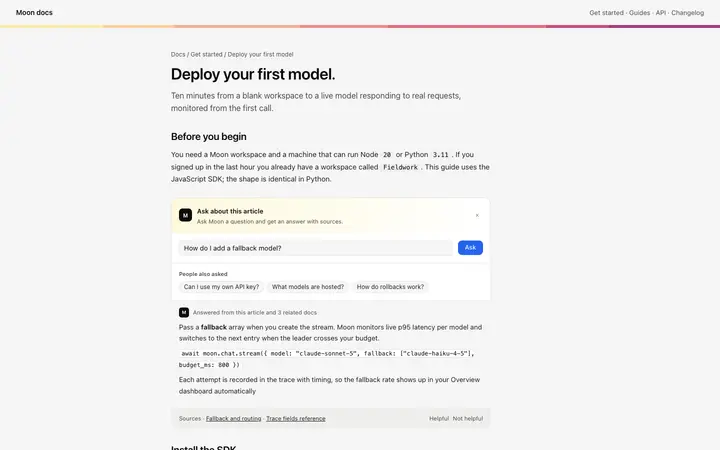
Interactive AI chat widget template for SaaS apps and developer tools. A floating chat bubble that opens into a bottom sheet panel when clicked, layering a chat surface over the existing product without replacing it. The widget sits fixed in the lower corner of the screen as a small circular button with a brand mark. The widget does not answer questions on its own; it is the chat surface and input. Connect your own model to the send action to make the widget live. Use it as the floating chat widget for any SaaS product, documentation site, or web application where users need a quick chat surface without leaving the current page. Minimal design with parallax scroll. Swap the copy and the images for your own and the page is ready to ship.
Build a full AI chat product or AI SaaS app with this template design
An AI chat product repeats one surface at different sizes, from a full chat interface to a chat widget and a copilot panel, so one AI chat template can set the standard for every screen after it. Copy the template, paste it into Claude Code, Replit, Lovable, ChatGPT Codex, Bolt, or Cursor, and send this alongside it.
Paste into Claude Code, Replit, Lovable, Bolt, or Cursor
Common questions about this template
What does this AI chat widget template include?
A floating circular button fixed in a screen corner, a bottom sheet panel that slides into view on click with a brand header, a scrollable conversation thread, suggested prompts, and a message input with a send button.
Does this AI chat template answer questions automatically?
No. The widget is the chat surface and input. Connect your own model to the send action, pass the user's message to your API, and write the response back into the thread to make it live.
How does the floating bubble open in this AI chat widget template?
The floating bubble is a fixed position circular button anchored to a corner of the screen. Clicking it triggers the bottom sheet panel to appear over the host application. The host application dims slightly beneath the sheet to keep the chat surface in focus.
How does this form factor compare to the other chat widget templates?
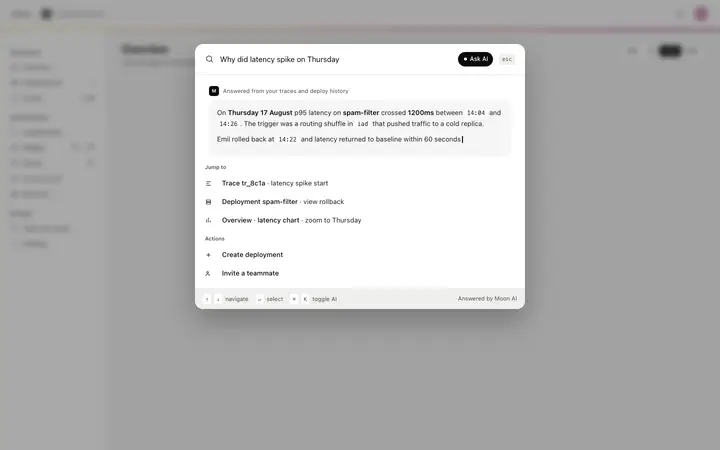
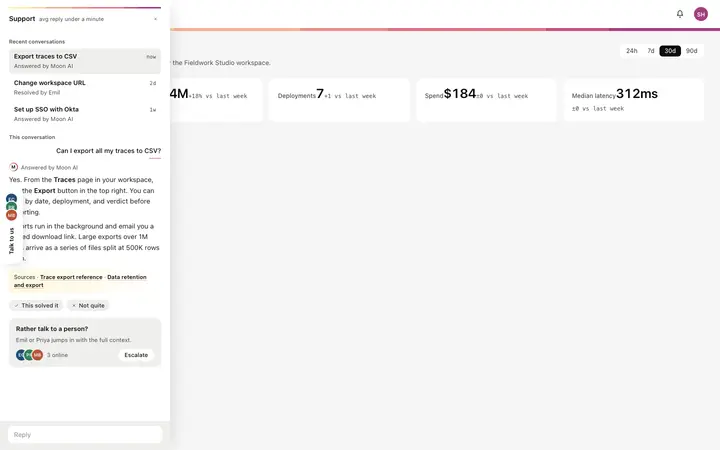
The chat widget opens as a bottom sheet from a floating bubble, best for apps where chat is a secondary option the user triggers deliberately. The copilot panel is a persistent full height rail, best when AI is always visible. The inline help widget embeds in a documentation page, best for contextual article help. The command bar is triggered by a keyboard shortcut, best for power users. The support sidebar slides in from an edge as a collapsible tray, best for support conversations.
Which tools work with this AI chat widget template?
Claude Code, Replit, Lovable, ChatGPT Codex, Bolt, and Cursor. Paste it in, replace the brand name and suggested prompts, and connect the send action to your own model API.
How do I build a full AI chat product or AI SaaS app with this template?
Paste the coding template into Claude Code, Replit, Lovable, ChatGPT Codex, Bolt, or Cursor with the instruction above, then ask for the next page. The template holds its buttons, cards, and spacing across every screen, so your AI chat product or AI SaaS app stays consistent across the whole build.
Use this AI coding template for
- ·AI chat widget template for a SaaS app or documentation site
- ·Floating chat bubble that opens a bottom sheet panel for a SaaS product
- ·Embeddable chat widget template for adding AI help to any web application
- ·Vibe coding AI chat widget template
Works with every vibe coding tool
More from the AI assistant widget set
All 5 templates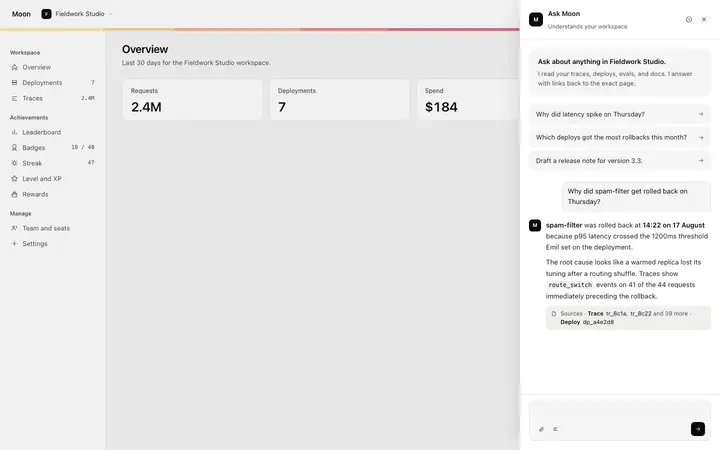
More chat templates
View all
More vibe coding SaaS templates
View all

Other templates you might like