Dot SaaS onboarding role selection template
Interactive SaaS onboarding role selection template for dark web apps and B2B tools. Use this AI template with Claude Code, Replit, Lovable, ChatGPT Codex, Bolt, Cursor, or another coding tool.
About this vibe coding template
Interactive SaaS onboarding role selection template for dark SaaS products, photo backdrop web apps, and B2B productivity tools. The second screen in a three step dot style onboarding flow. A full screen photo covers the background. Inside the glass card, a dot progress indicator marks step two. The user segmentation form shows four role cards: designer, engineer, product manager, and builder. Each card shows the role title and a short description of who it fits. Users can select more than one card before hitting Continue. The glass card keeps all four cards visible in a single view. Minimal design with glassmorphism. Paste it into Claude Code, Replit, Lovable, ChatGPT Codex, Bolt, or Cursor and describe the roles you want and the defaults each role should trigger.
Build a full SaaS onboarding flow with this template design
A SaaS onboarding flow is a sequence of welcome, setup, and activation screens that only works when each step looks like the last, so one onboarding template can set the standard for every screen after it. Copy the template, paste it into Claude Code, Replit, Lovable, ChatGPT Codex, Bolt, or Cursor, and send this alongside it.
Paste into Claude Code, Replit, Lovable, Bolt, or Cursor
Common questions about this template
What does this dot SaaS onboarding role selection screen include?
A full screen photo backdrop, a glass card with a dot progress indicator at step two, a user segmentation form with four role cards, and a Continue button.
How do the role cards look in this SaaS onboarding template?
Each card shows a role title and a short description of who it fits. Selected cards get a highlight state. The glass card groups all four cards on a single screen with the translucent background letting the photo show through at the edges.
Which templates pair with this dot role selection screen?
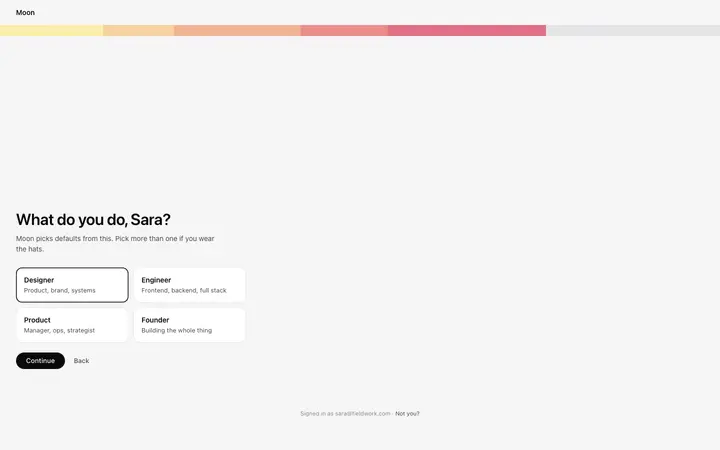
Two pairings. For the complete dot flow, this role selection screen sits between the dot welcome screen and the dot ready screen. For the same role selection step in a different style, the pixel role screen uses a pixel progress bar and the gradient role screen a warm band, both on a plain background.
Can the role cards in this SaaS onboarding template be customized?
Yes. The card labels and descriptions are plain text and swap to any role names that match your product user types. Adding or removing cards within the glass card layout works well for three to five options.
Which vibe coding tools work with this dot SaaS onboarding role template?
Claude Code, Replit, Lovable, ChatGPT Codex, Bolt, and Cursor. Paste it in and describe the roles you want and the defaults each role should trigger.
How do I build a full SaaS onboarding flow with this template?
Paste the coding template into Claude Code, Replit, Lovable, ChatGPT Codex, Bolt, or Cursor with the instruction above, then ask for the next page. The template holds its buttons, cards, and spacing across every screen, so your SaaS onboarding flow stays consistent across the whole build.
Use this AI coding template for
- ·Dark mode SaaS onboarding role selection template with glass card
- ·User segmentation form with role cards on a photo backdrop
- ·Second step of a dot style SaaS onboarding wizard
- ·Vibe coding a dark interface SaaS onboarding role template
Works with every vibe coding tool
More from the Onboarding flow set
9 templates

More onboarding templates
View all
More vibe coding SaaS templates
View all
Other templates you might like