Product tour template for SaaS onboarding
Interactive product tour template for SaaS onboarding. Linear-like design with glassmorphism. Use this AI template with Claude Code, Replit, Lovable, ChatGPT Codex, Bolt, Cursor, or another coding tool.
About this vibe coding template
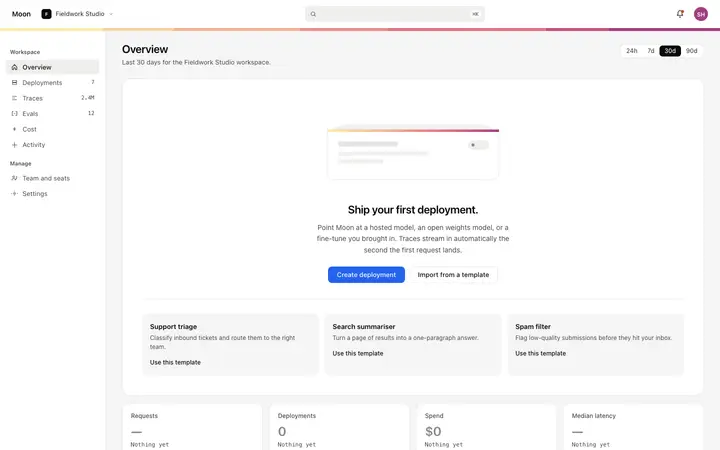
Interactive product tour template for SaaS onboarding and new user activation. A guided walkthrough overlay for orienting new users to the product interface without sending them to a help article. The overlay has three layers: a semi transparent full screen backdrop that dims everything except the spotlight target, a spotlight box positioned over a specific UI element, and a tooltip positioned near the spotlight box. The backdrop uses a subtle blur on the content behind it. The spotlight box has a soft border glow and an inset ring to mark the highlighted element. Linear-like design with glassmorphism. Describe your product, your audience, and your offer, and your coding tool fills in the copy and the images.
Build a full SaaS onboarding flow with this template design
A SaaS onboarding flow is a sequence of welcome, setup, and activation screens that only works when each step looks like the last, so one onboarding template can set the standard for every screen after it. Copy the template, paste it into Claude Code, Replit, Lovable, ChatGPT Codex, Bolt, or Cursor, and send this alongside it.
Paste into Claude Code, Replit, Lovable, Bolt, or Cursor
Common questions about this template
What does this product tour template include?
A full screen semi transparent backdrop with a subtle blur, a spotlight box positioned over a specific UI element with a soft border glow, and a tooltip with a monospaced step counter, progress dots, a title, a description, Back and Next navigation buttons, and a Skip tour link.
How does the spotlight work in this template?
The spotlight box is a fixed position element positioned over a target UI element using top, left, width, and height values. Everything outside the spotlight is dimmed, so attention lands on one element at a time. The spotlight slides smoothly to the next target when the user clicks Next.
How do the progress dots work in this template?
A row of dots below the step counter shows one dot per step in the tour. The active step dot is filled with ink. The inactive dots are muted. The total number of dots tells the user how long the tour is at a glance.
How is this SaaS product tour template different from the activation checklist template?
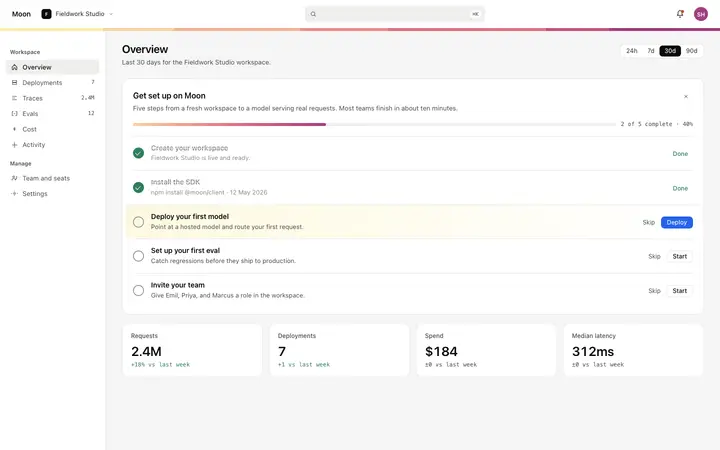
The product tour overlay is a guided walkthrough that directs attention to specific UI elements one at a time with a spotlight and tooltip. The activation checklist is a panel listing the tasks a team needs to complete to configure the workspace. Use the product tour to orient a new user in the interface. Use the activation checklist to drive workspace setup to completion.
Which tools work with this product tour template?
Claude Code, Replit, Lovable, ChatGPT Codex, Bolt, and Cursor. Paste it in and replace the step count, titles and descriptions, and spotlight target positions with your own tour sequence.
How do I build a full SaaS onboarding flow with this template?
Paste the coding template into Claude Code, Replit, Lovable, ChatGPT Codex, Bolt, or Cursor with the instruction above, then ask for the next page. The template holds its buttons, cards, and spacing across every screen, so your SaaS onboarding flow stays consistent across the whole build.
Use this AI coding template for
- ·Product tour template for SaaS onboarding and new user activation
- ·Guided walkthrough overlay with spotlight and tooltip for SaaS apps
- ·Interactive product tour with step dots, back and next for a developer tool
- ·Vibe coding product tour template
Works with every vibe coding tool
More from the Product onboarding set
5 templates
More onboarding templates
View all
More vibe coding SaaS templates
View all
Other templates you might like