Project management SaaS dashboard template
Project management dashboard template for SaaS project tools, engineering team products, and sprint tracking software. Use it as the main screen of a delivery product, where progress, workload and tasks all need to be visible at once. Use this AI template with Claude Code, Replit, Lovable, ChatGPT Codex, Bolt, Cursor, or another coding tool.
About this vibe coding template
Project management dashboard template for teams tracking work through a cycle. Aimed at project and task management SaaS, engineering delivery tools, agency and client work platforms, and any product where a team plans, assigns and ships on a schedule. Use it as the main screen the team opens each morning, covering how the current sprint is going, the numbers that describe delivery speed, and the board where the work actually sits. It works for teams building tooling for engineering or agency work, and for products adding delivery tracking to something broader. Minimal design.
Build a full SaaS app or admin dashboard with this template design
A SaaS app or admin dashboard is dozens of screens sharing one shell, so one dashboard template can set the standard for the navigation, the spacing, and the card design on every screen after it. Copy the template, paste it into Claude Code, Replit, Lovable, ChatGPT Codex, Bolt, or Cursor, and send this alongside it.
Paste into Claude Code, Replit, Lovable, Bolt, or Cursor
Common questions about this template
Which products suit a project management dashboard?
Project and task management SaaS, engineering delivery tools and agency platforms. It fits any product where a team ships work on a schedule.
What should a delivery dashboard show?
How the current cycle is progressing and where the work stands. Historical reporting matters at review time, and the daily screen should answer today's question.
Why does this project management SaaS dashboard combine a board and metrics?
Managers want progress and teams want their tasks, and both open the same page. Splitting them means one group navigates every time.
Which vibe coding tools work with this dashboard template?
It works in Claude Code, Replit, Lovable, ChatGPT Codex, Bolt and Cursor. Paste it in, describe the data you want shown, and your AI coding tool will connect it to your own source.
How do I build a full SaaS app or admin dashboard with this template?
Paste the coding template into Claude Code, Replit, Lovable, ChatGPT Codex, Bolt, or Cursor with the instruction above, then ask for the next page. The template holds its buttons, cards, and spacing across every screen, so your SaaS app or admin dashboard stays consistent across the whole build.
Use this AI coding template for
- ·Project management dashboard for a delivery or task product
- ·Sprint board for an engineering team SaaS tool
- ·Client work tracker for an agency platform
- ·Vibe coding project management dashboard template
Works with every vibe coding tool
More from the Industry dashboard set
10 templates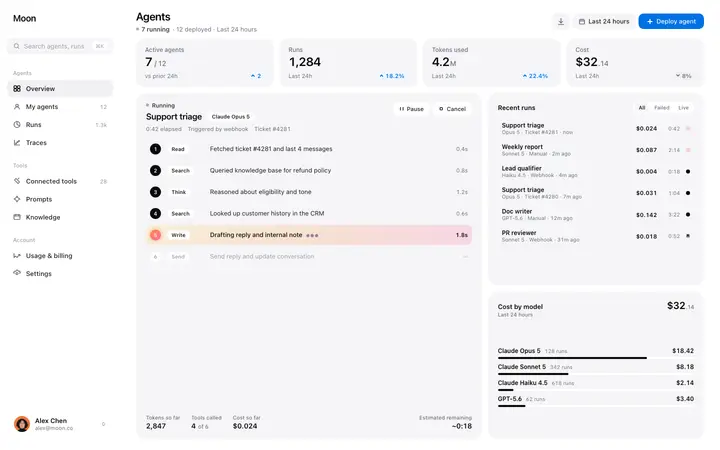
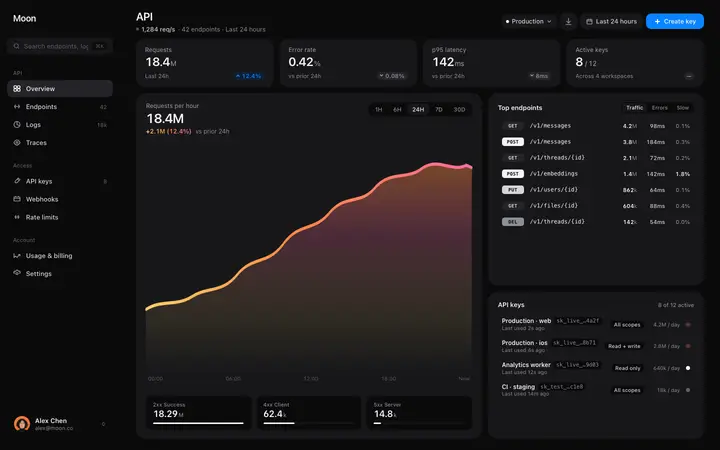
More stats templates
View all

More vibe coding dashboard templates
View all

Other templates you might like