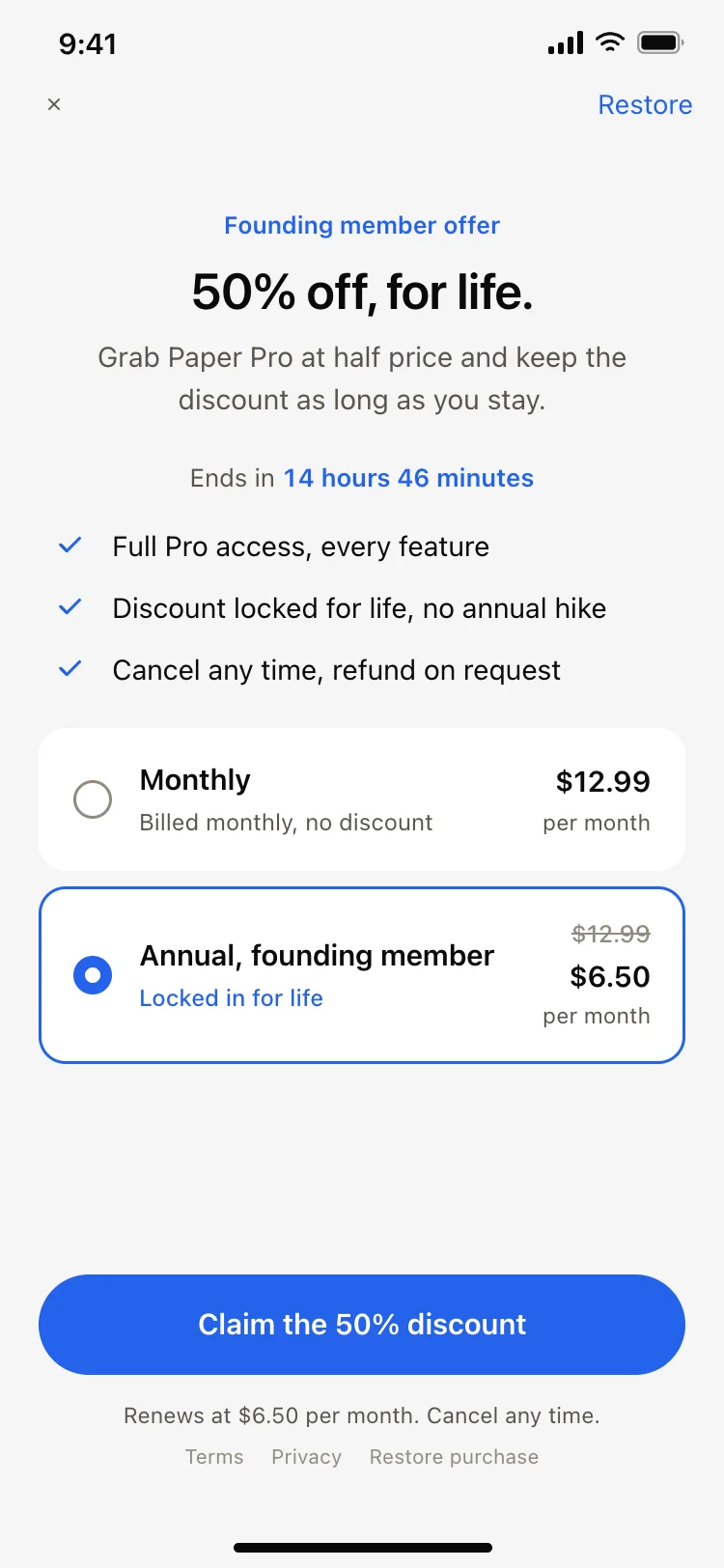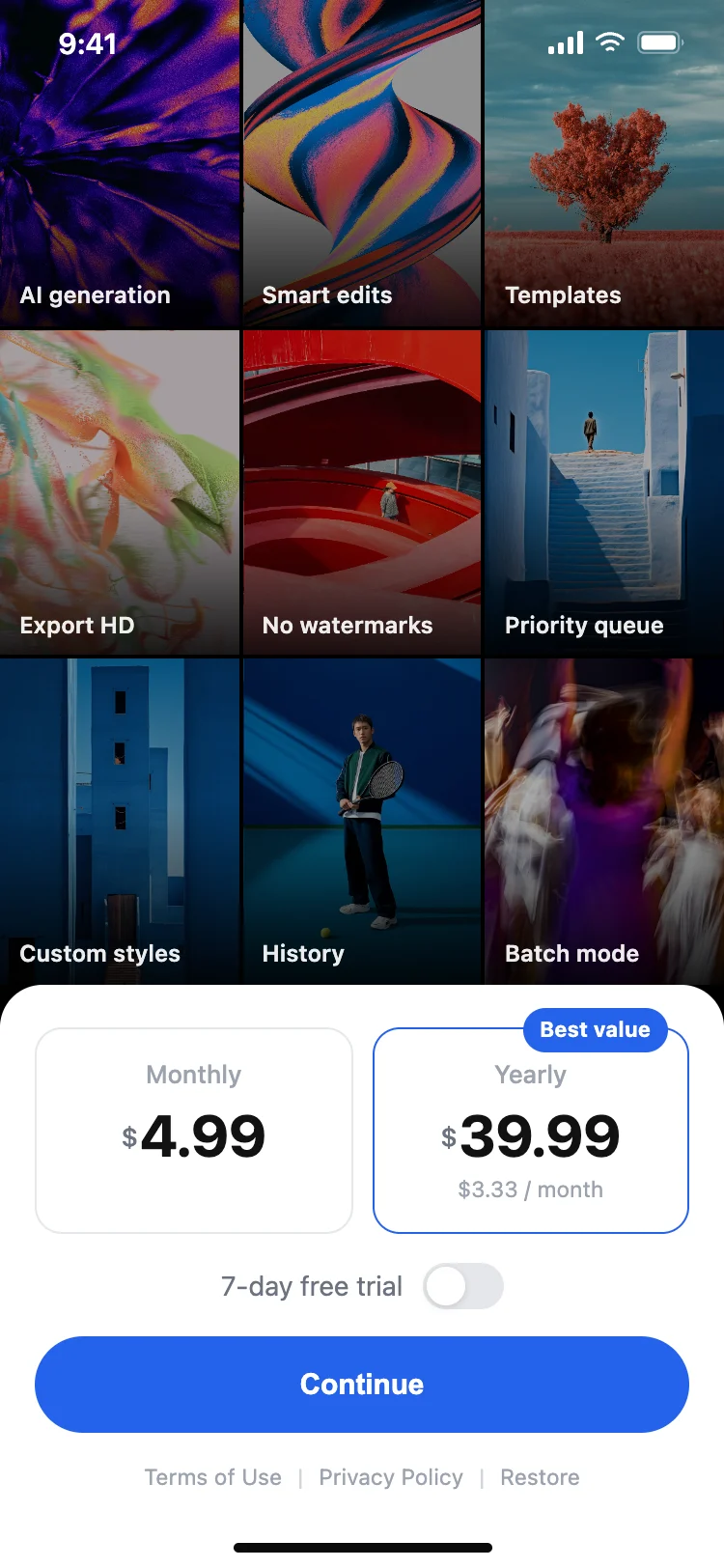
App paywall with feature grid
Paywall · iOS and Android
Build this design with AI →Real app paywall and subscription screens, with what makes each one convert. Build any of them in Cursor, Claude Code or Lovable.
Paywall · iOS and Android
Build this design with AI →Paywall · iOS and Android
Build this design with AI →Paywall · iOS and Android
Build this design with AI →Paywall · iOS and Android
Build this design with AI →Paywall · iOS and Android
Build this design with AI →Paywall · iOS and Android
Build this design with AI →Every paywall design above is a ready template. Browse and preview for free; copy the code with a BrowserMoon licence.
Get a licenceGood paywall design makes the upgrade feel worth it and the terms feel safe. The best subscription paywalls lead with the benefits, not the price, highlight one recommended plan, show the trial and renewal terms in plain words, and make closing the paywall easy. These subscription paywall examples include plan pickers, free trial screens, yearly versus monthly comparisons, upgrade screens and tiered pricing for iOS and Android apps.
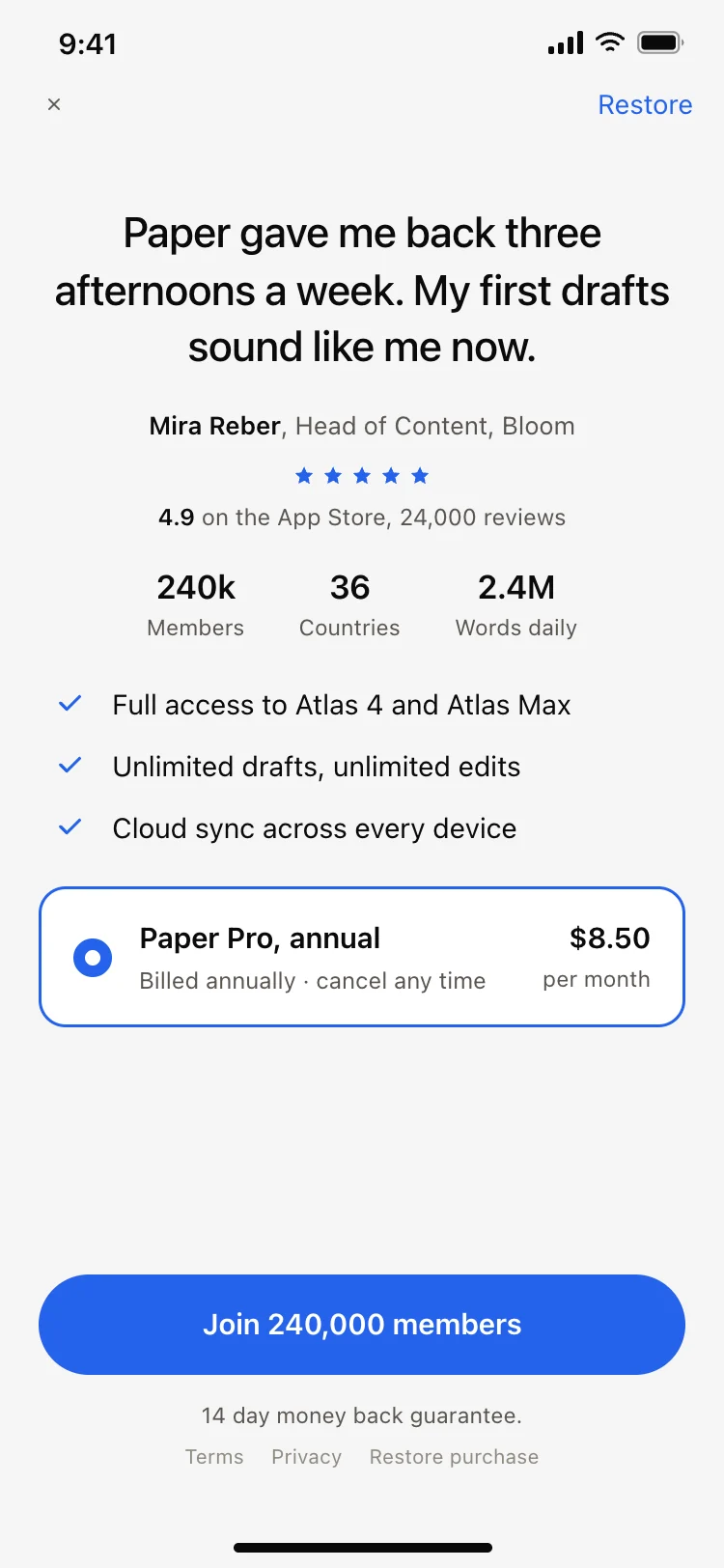
A star rating or a short line like Loved by 50,000 runners reassures people right at the decision.
A paywall shown after a first success can speak to that success, which converts better than a generic upgrade screen.
Three to five clear benefits above the plans tell people what they get.
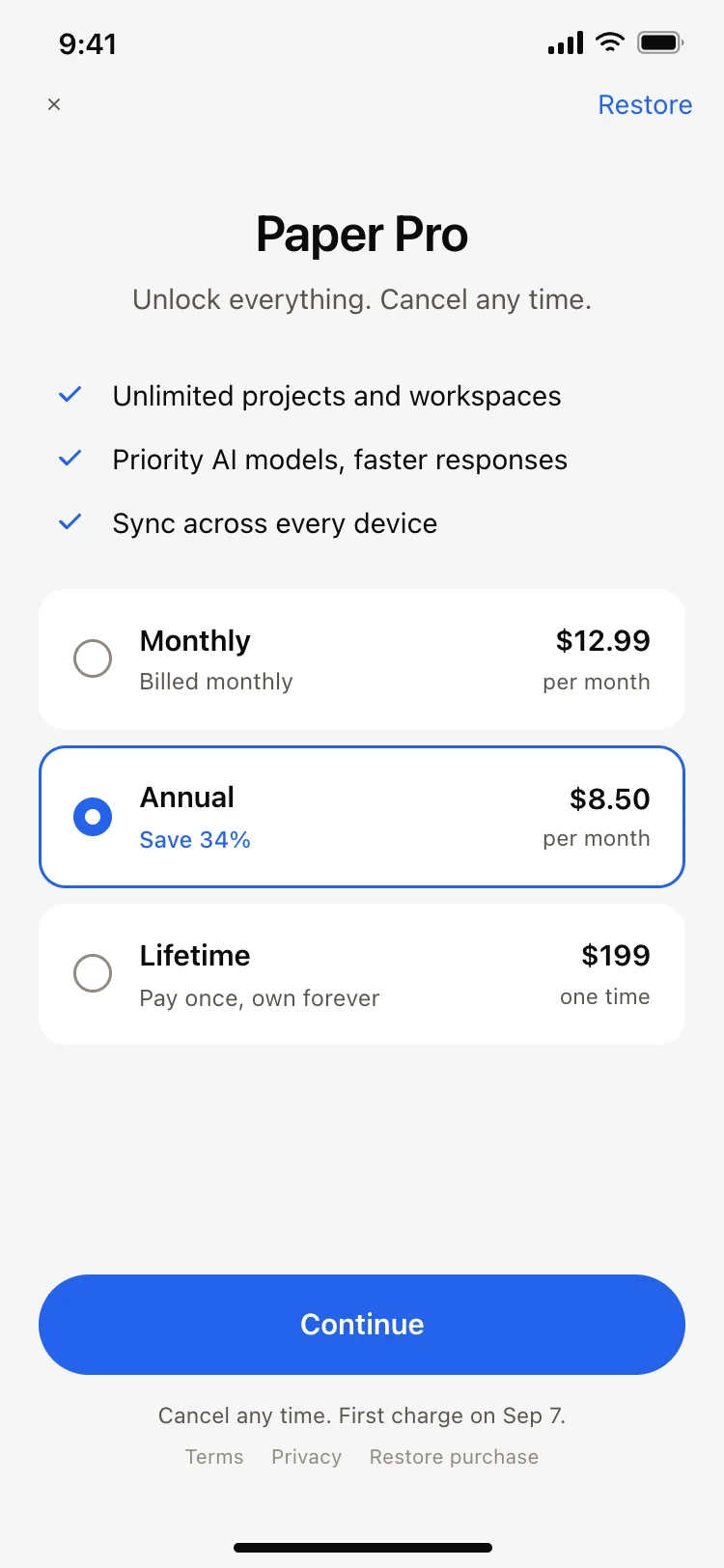
Highlight the yearly or most popular plan and show the saving.
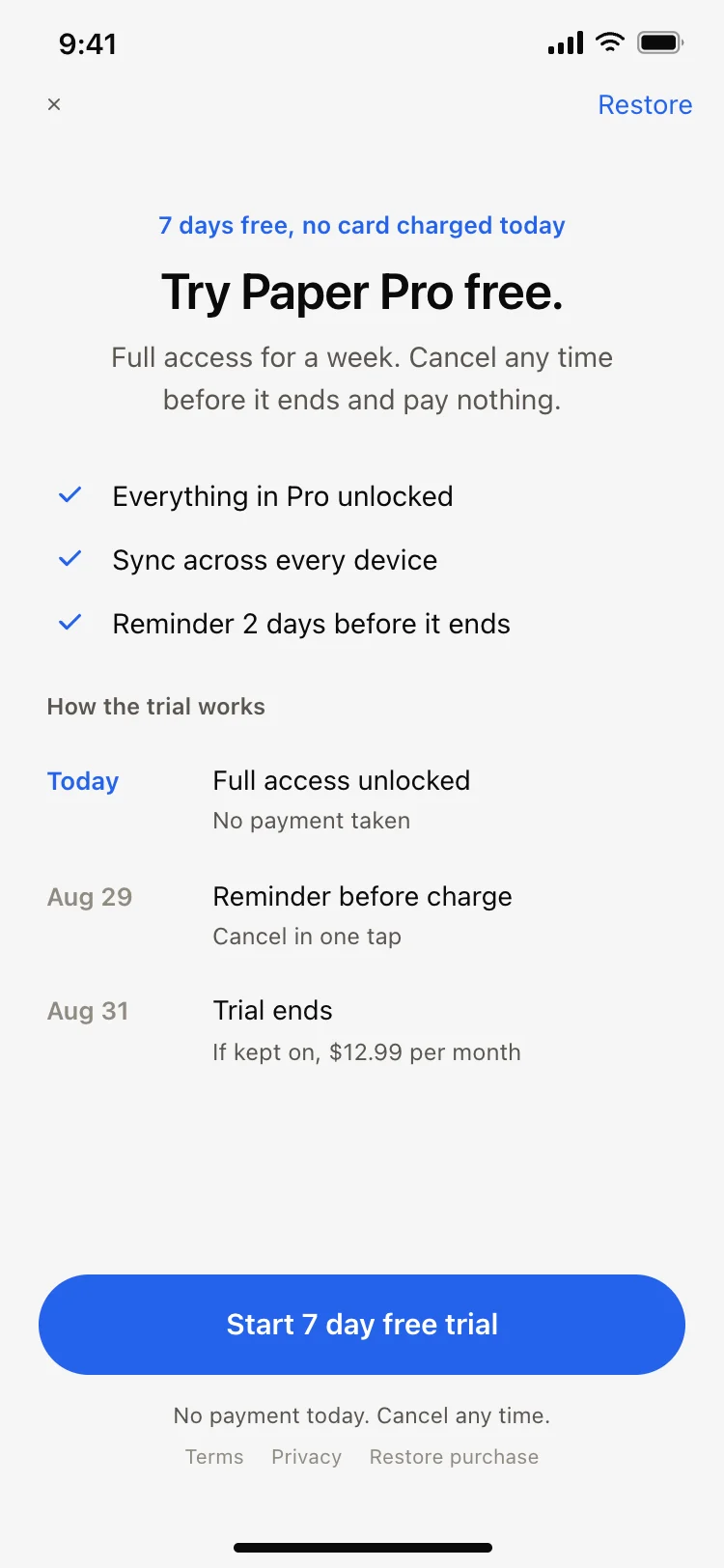
Free for 7 days, then the price, cancel any time, all visible before the button.
Start free trial, in the accent colour, with nothing competing.
A visible close button builds trust and keeps app store reviewers happy.
The three to five things the paid plan unlocks, with icons or a short visual.
Monthly and yearly, or tiers, with the recommended plan highlighted and its saving shown.
When the trial ends, what it costs after, and how to cancel, in plain words.
One accent button that says exactly what happens, such as Start 7-day free trial.
Restore purchases for returning users and a visible close button.
A thank you, what is now unlocked, and a button back into the app.
Single-plan paywalls focus on one offer and a trial, which keeps the decision simple. Plan pickers compare monthly and yearly, or two or three tiers, with the recommended one highlighted.
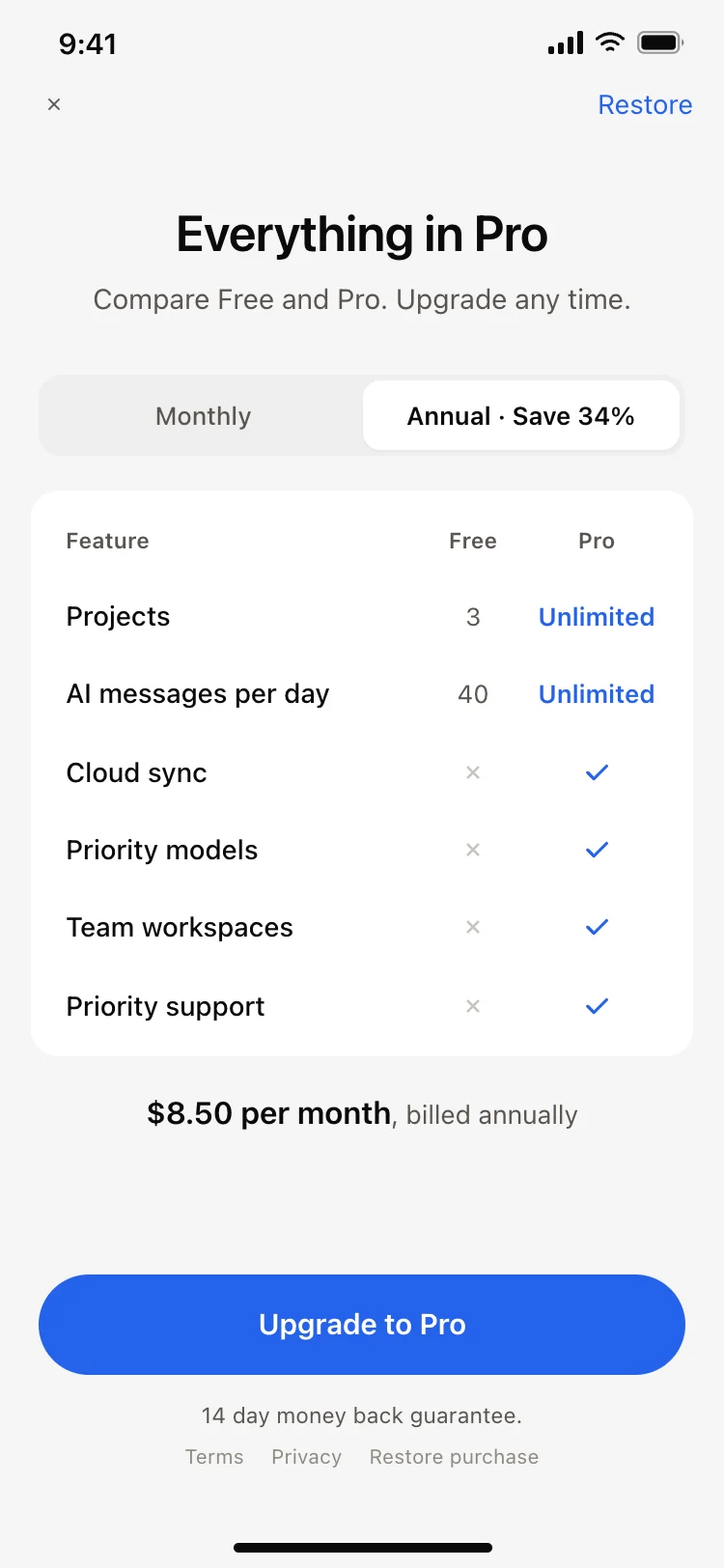
Feature comparison paywalls show a free versus pro table for apps where the difference needs explaining. Soft paywalls appear after a moment of value, such as finishing a first project.
Test paywalls carefully. The position in the app, the trial length and the default plan often change subscription rates more than the visual design does.
Paywall copy matters as much as layout. Name the outcome people get, like Unlimited projects or Sleep better every night, rather than listing features, and keep the price line short and honest.
Think about the paywall as part of onboarding rather than a wall at the end. When the screens before it have shown what the app does and asked what people want, the paywall can repeat their own goal back to them, and the upgrade reads as the obvious next step instead of an interruption.
Open any paywall design above to see it live and full size.
Copy the screen from its page. It is plain HTML and CSS at phone size.
Save it in your project and ask Cursor or Claude Code for it in React Native, Expo, SwiftUI or Flutter.
Ask the tool to swap in your copy, brand colours and links, keeping the layout and spacing.
Countdown timers that reset every visit damage trust and reviews.
A paywall that ignores where it appears feels generic. Match the copy to the feature people just tried.
Leading with the price makes people leave before reading the benefits.
Unclear terms cause refunds, bad reviews and app store rejections.
Trapping people feels hostile and breaks store guidelines.
More than three options slows the decision.
Three to five. Each one short, specific and tied to something people already tried in the app.
If the app has a free tier, show it as the quiet option so people understand what they keep without paying.
Run A/B tests on one change at a time, such as trial length or the default plan, and compare trial starts and paid conversions.
Clear benefits, one highlighted plan with its saving, plain trial and renewal terms, one strong button and an easy close.
Common spots are the end of onboarding and right after a moment of value, such as finishing a first task.
For most subscription apps, yes. Show exactly when the trial ends and what it costs after.
Highlight the yearly plan with its saving shown, and keep monthly as a visible option.
Yes. Ask Cursor or Claude Code to build these screens and connect RevenueCat or StoreKit for subscriptions.
They show price, terms and a close button clearly, which store guidelines require. Always check the latest rules before release.
More design ideas