Claude Code skills, hooks, subagents and MCP servers, together with CLAUDE.md and custom slash commands, are the main ways to shape how Claude Code works. They overlap enough to be confusing. This guide explains each one in plain words, when to use it, and how they fit together, with examples for building UI and frontend design.
The short version: CLAUDE.md is always on, skills load when relevant, hooks run automatically on events, subagents do focused work in their own context, and MCP connects Claude Code to outside tools. All of them live in your project, next to your Claude Code templates.
| Feature | Who triggers it | Where it lives | Use it for |
|---|---|---|---|
| CLAUDE.md | Always loaded | Project root | Rules every session needs |
| Skills | Claude, when relevant | .claude/skills | Detailed processes, like a design system |
| Hooks | Events, automatically | settings.json | Checks that must always run |
| Subagents | Claude or you | .claude/agents | Focused side tasks, like UI review |
| MCP servers | Claude, as tools | .mcp.json | Outside tools: browser, Figma, data |
| Slash commands | You | .claude/commands | Prompts you repeat |
CLAUDE.md: rules for every session
CLAUDE.md is a markdown file Claude Code reads at the start of every session. Put the things it must always know there: commands to run, code style, and the design rules for the project. Because it is always loaded, keep it short. Start from a CLAUDE.md template or the free CLAUDE.md generator.
Skills: expertise Claude loads on demand
A skill is a folder with a SKILL.md file in .claude/skills. Claude sees each skill's name and description, and reads the full instructions only when a task matches. That makes skills the right place for detailed processes, like a design system or a review checklist, that would bloat CLAUDE.md. Claude decides when to use a skill; you do not have to call it. See Claude Code skills templates and our guide to the best Claude Code skills for frontend design.
Hooks: automatic actions on events
Hooks are shell commands Claude Code runs automatically at points in its work, such as PreToolUse and PostToolUse (before and after a tool runs), UserPromptSubmit (when you send a prompt) and Stop (when Claude finishes). You set them in .claude/settings.json. Unlike skills, hooks are deterministic: they always run, so they suit checks that must never be skipped, like formatting files after every edit, running the linter, or blocking edits to protected folders. See Claude Code hooks templates.
Get ready Claude Code skills, hooks, subagents, MCP setup and CLAUDE.md files for design work, plus 560+ design templates.
Get a licenceSubagents: focused helpers with their own context
A subagent is a specialised assistant defined in a markdown file in .claude/agents, with its own instructions, its own tools and its own context window. Claude can hand a task to a subagent, which works on it separately and reports back, so the main conversation stays clean. Good design subagents include a UI reviewer that compares a page with the design template, and an accessibility checker. See Claude Code agents templates.
MCP servers: connections to outside tools
MCP, the Model Context Protocol, connects Claude Code to tools and data outside your project: a browser, Figma, a database, your issue tracker. You add servers with the claude mcp add command or a .mcp.json file in the project. For frontend work, a browser server such as Playwright lets Claude open the page and take screenshots to check its own design. See Claude Code MCP templates.
Slash commands: prompts you trigger yourself
Custom slash commands are saved prompts you run by typing a slash and a name, such as /new-page. Use them for tasks you repeat and want to start yourself, as opposed to skills, which Claude chooses to use. See Claude Code commands templates.
Which one should you use?
Always needed? Put it in CLAUDE.md.
Detailed, but only for some tasks? Make it a skill.
Must happen every time, no exceptions? Use a hook.
A big side task that would clutter the chat? Give it to a subagent.
Needs an outside tool or data? Add an MCP server.
A prompt you run yourself again and again? Save it as a slash command.
A complete setup for frontend design
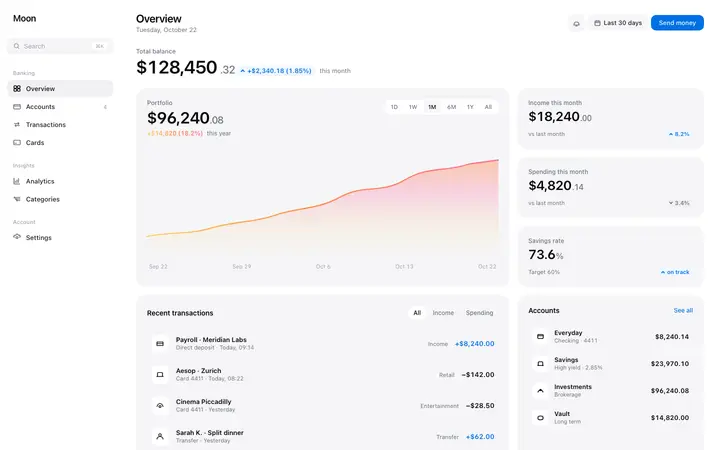
For UI work, the setup that works best combines them: CLAUDE.md with the project rules and a pointer to the design template; a design system skill with the detailed rules; a hook that formats and lints after every edit; a UI review subagent that checks each page against the template; and a browser MCP server so Claude can see what it built. Add a design template from our Claude Code templates and Claude has both the rules and the design to follow.
Frequently asked questions
What is the difference between Claude Code skills and hooks?
Skills are instructions Claude chooses to load when a task needs them. Hooks are commands that run automatically on events, every time, without Claude deciding.
What is the difference between skills and subagents?
A skill adds instructions to the main conversation. A subagent is a separate assistant with its own context and tools that does a task and reports back.
Do I need MCP for Claude Code?
No, but MCP servers let Claude Code use outside tools, such as a browser to screenshot pages or Figma to read designs.
Should rules go in CLAUDE.md or a skill?
Rules every session needs go in CLAUDE.md. Long, task-specific instructions go in a skill so they load only when needed.
Where do Claude Code subagents live?
In .claude/agents in your project, or ~/.claude/agents for every project, as markdown files with a short header and instructions.
Can I use skills, hooks and subagents together?
Yes. They are designed to work together: CLAUDE.md for rules, skills for processes, hooks for automatic checks, subagents for focused tasks and MCP for tools.
Related templates
Claude Code skills templates
Design system and review skills.
Claude Code hooks templates
Format, lint and protect files automatically.
Claude Code agents templates
UI reviewer and accessibility subagents.
Claude Code MCP templates
Browser and design tool connections.
Claude Code commands templates
Slash commands for repeat tasks.
Claude Code templates
560+ designs for Claude Code to follow.