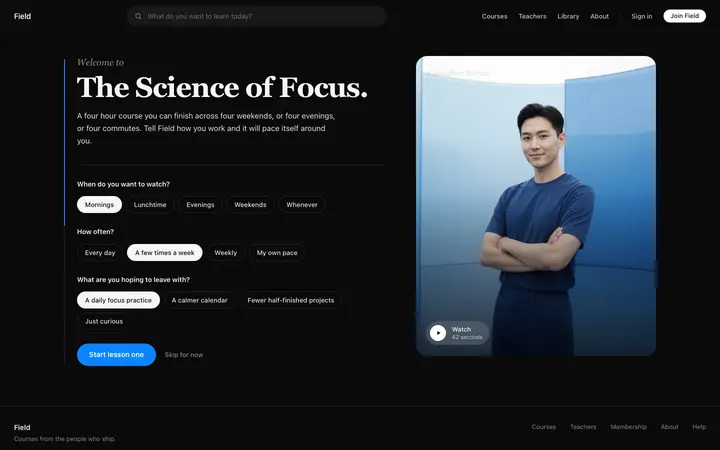
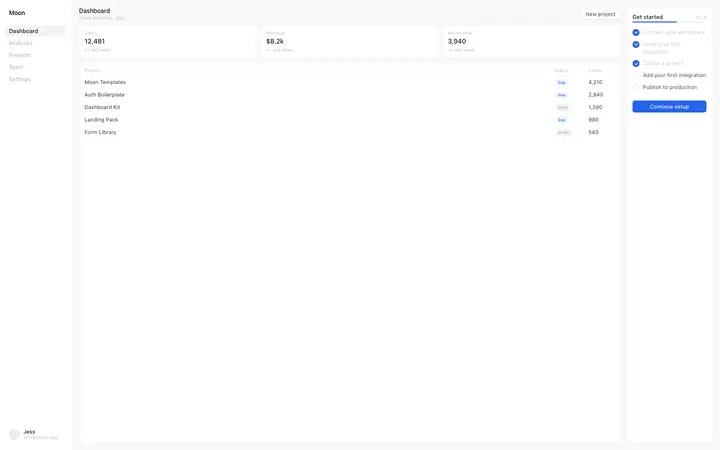
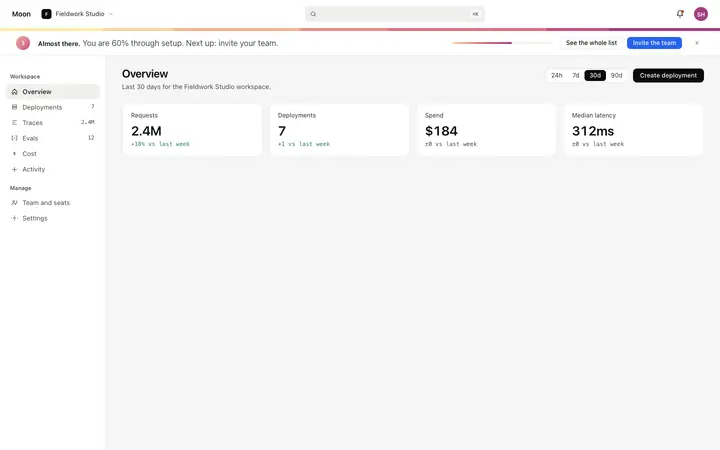
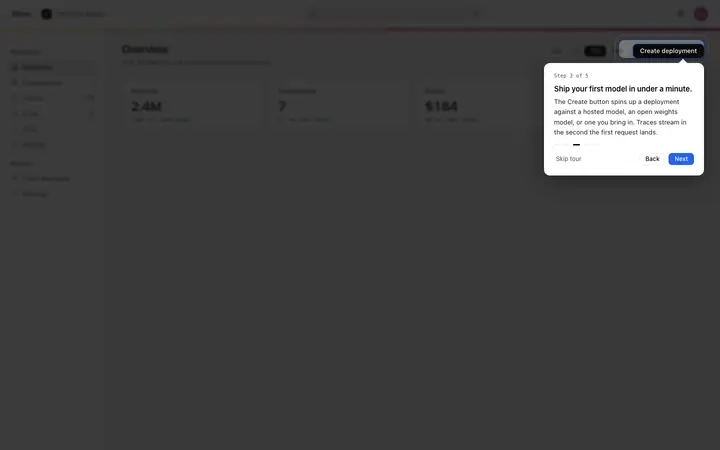
Pixel SaaS onboarding role selection template
SaaS
Build this design with AI →People sign up, then disappear before they ever use your product. That is onboarding drop off, and it is usually one or two steps, not the whole flow. Here is how to find the step where you lose users, why they leave, and how to get them to their first win faster.
Before you redesign, measure. These four checks tell you whether you have a problem and where it is.
One widely cited survey from Lenny's Newsletter put the median SaaS activation rate at around 30%, with an average of about 36%. In other words, most products lose the majority of sign ups before they get value. Well below that, something is broken.
Activation means the moment a new user gets real value: their first project, first invoice, first message sent. Without a clear definition, you cannot measure drop off.
Log each onboarding step as an event, then look at the funnel. The biggest drop between two steps is where you start.
Numbers show where people leave, not why. Watch a few recordings or ask the users who left a one-question survey.
Find the step with the biggest drop, then match it to the most likely cause below.
| What you see | Likely cause |
|---|---|
| Right after sign up, before the first screen | Email checks, long forms or a promise that does not match the landing page |
| On a setup step | Asking for effort before showing value |
| On the empty dashboard | Blank page, no clear first action |
| Halfway through a tour or checklist | Too many steps, no sense of progress |
| After the first session, never to return | No first win, or they doubt it will work for them |
Each cause comes with the sign to look for, the fix, and where to see it done well.
Users are asked to set things up before they see what the product does for them.
Fix: show a useful result first, even with example data, then ask for setup.
Email verification, profile, interests, team invite, app download: every screen loses people.
Fix: count the screens before the product and cut every one that is not essential. Notion onboarding flow →
New users land on an empty page and do not know what to do first.
Fix: pre-fill with real example content or a template, and point to one first action. SaaS onboarding design →
Connecting accounts, importing data or installing code before anything works.
Fix: let users try the product without it, and ask for the hard setup once they want more.
Sometimes it is not friction but doubt: users are not convinced the product will solve their problem.
Fix: show proof and a result inside the flow, like a sample outcome or a short example from a similar user.
Users do not know how many steps are left or how close they are to done.
Fix: a short checklist or progress bar, with the first item already ticked. Onboarding templates →
Personalisation questions that lead to the same experience feel like a waste of time.
Fix: only ask what changes what users see. Cut the rest.
Upgrade prompts, trials ending soon or app download banners before the product has proven itself.
Fix: move every upsell after the first win.
The landing page promised one thing; onboarding talks about something else.
Fix: start onboarding with the exact outcome your landing page promised. Landing page not converting →
You cannot fix a drop you cannot see.
One step usually loses more people than all the others together.
Show a result before asking for setup, data or invites.
Remove anything that does not change what users see or do.
A checklist that shows how close they are, and proof that it works.
Ask Mon, the AI design assistant, describe your onboarding steps and where users drop off, and Mon tells you what to cut or change first.
SaaS
Build this design with AI →SaaS
Build this design with AI →Dashboard
Build this design with AI →SaaS
Build this design with AI →SaaS
Build this design with AI →Dashboard
Build this design with AI →Every onboarding template above is an original BrowserMoon design. Preview them all; copy the code with a BrowserMoon licence.
Get a licenceThe share of new users who start sign up or setup but leave before reaching their first real value in the product.
One widely cited survey from Lenny's Newsletter put the median SaaS activation rate at around 30%. It depends heavily on how you define activation, so compare your own numbers over time first.
Usually they never reached a first win: value came too late, setup was too hard, or they landed on a blank page with no clear first step.
Any step that does not get the user closer to value is too many. Count the screens before the product and cut the ones you can.
Yes. Describe your steps and where users leave to Mon, the AI design assistant, and it tells you which step to cut or fix first.
Related: Free trial not converting · Notion onboarding flow · SaaS onboarding design · Landing page not converting · Pricing page not converting · AI design feedback